Calendly pricing, checked: the Free plan, Standard and Teams per seat, monthly vs yearly, and the Teams seat tiers
Last updated 2026-10-04 · By Smart Pick Desk editors · Prices read on Calendly's pricing page in both billing modes on 2026-10-04; help centre read the same day · We have not used Calendly · How we checked ↓
The short answer
Calendly is an online booking tool: people pick a time from your availability, and the meeting lands in your calendar. It has a Free plan and paid plans priced per seat, which means per person on your account who hosts meetings. The Free plan has no end date but allows one type of meeting; Standard is $10 per seat per month billed yearly ($12 billed monthly), and Teams is $16 ($20).
- Free: one event type, one calendar, one-on-one meetings, with a customizable booking page and no time limit.[1][7]
- Standard, $12 or $10 a seat: unlimited event types, up to six calendars, automations and reminders, and Stripe or PayPal payments.[1][7]
- Teams, $20 or $16 a seat: round robin, lead routing and Salesforce, and the per-seat price steps down above 30 seats on yearly plans.[1][7]
If you want one sentence: for one person with one kind of meeting the Free plan may be enough; the bill for a paid plan is seats × price, and every seat you buy is charged whether anyone uses it or not.
On this page
At a glance
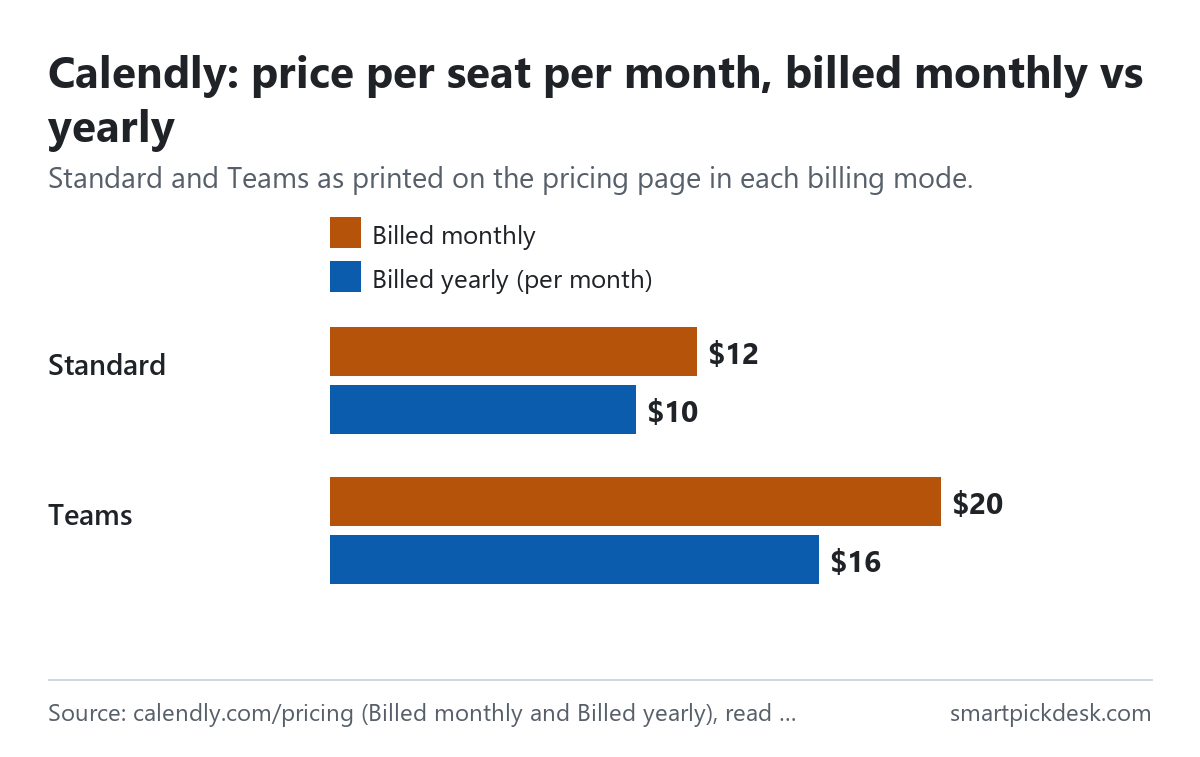
| Plan | Billed monthly (per seat) | Billed yearly (per seat, per month) | Event types | Calendars checked |
|---|---|---|---|---|
| Free | No charge | No charge | 1 | 1 |
| Standard | $12 | $10 | Unlimited | 6 |
| Teams | $20 | $16 | Unlimited | 6 |
| Enterprise | Starts at $15k a year, from 50 seats | Unlimited | 6 | |
Calendly's pricing page, read on 2026-10-04 with Billed monthly selected and with Billed yearly selected,[1] and the plan descriptions in the help centre.[7]
The page shows “Save up to 20%” next to the billing switch, and with yearly billing selected the Standard card adds “Save 17%”.[1] Under each paid price it explains who needs a seat: “Seats are required for users to connect calendars and host Calendly meetings - meeting invitees do not require a seat.”[1] In everyday terms, you pay for the people who take bookings, not for the people who book.
How we checked this (and what we did not check)
Last updated 2026-10-04 (first version). Every number and quotation here comes from Calendly's own pages. Prices change — confirm on Calendly's own page before you sign up.
What we did. On 2026-10-04 we opened calendly.com/pricing in a browser with no account, saved the page text, then pressed Billed monthly and Billed yearly and saved the visible text each time. The same day we saved eight help-centre articles: the billing overview, changing your plan, cancelling, adding and removing seats, taxes, choosing a plan, legacy plans and SMS credit limits. Wording in quotation marks is copied from those saved pages word for word, and a script checks every quotation against the saved text.
What we did not do. We have not used Calendly. There is no account, no screenshot of the product and no view here on how well its scheduling or AI features work. Every image is a chart or summary we drew from the saved text; none shows Calendly's logo or screens. Each paid card has a switch labelled “Add Notetaker & Callie” that turns it into the Standard Plus or Teams Plus plan; we did not switch it on, so we do not quote a Standard Plus price, and Teams Plus appears only through the yearly tier table in the help centre. The answers to the FAQ on the pricing page are collapsed and we did not open them.
What that leaves. The Free plan, Standard and Teams per seat in both billing modes, the yearly seat tiers for Teams and Teams Plus, and the billing, refund and tax rules, as published.
The Free plan and the trial
Calendly's Free plan does not expire. The pricing page labels it “Always free” and lists one event type, one calendar connection, one-on-one scheduling, a customizable booking page and the browser extension.[1] An event type is one kind of meeting with its own length and booking link, for example a 30-minute call.
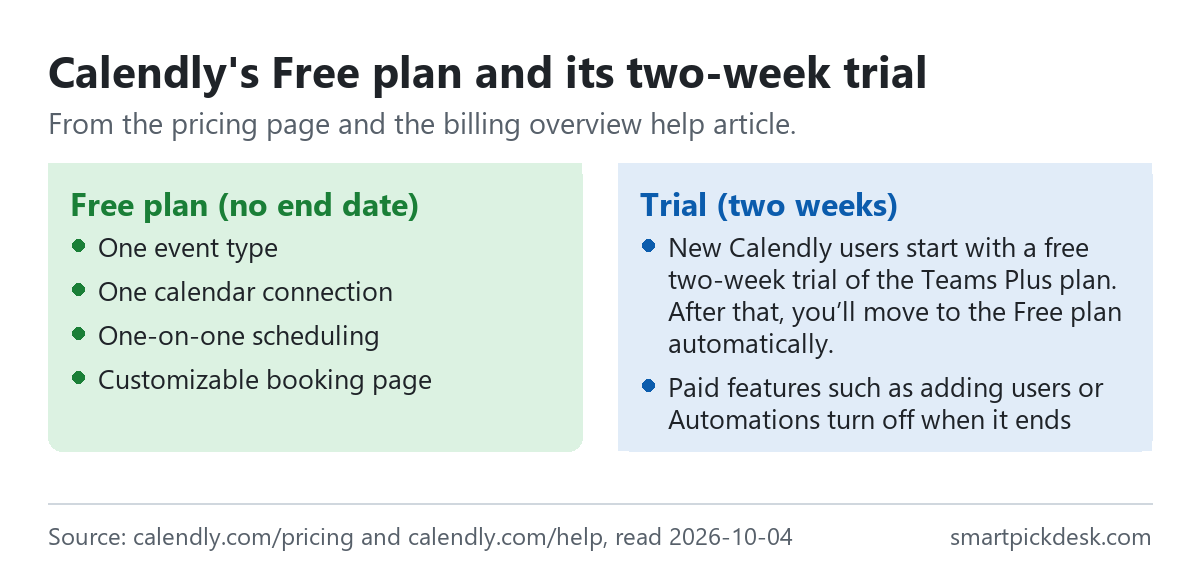
- The trial comes first. “New Calendly users start with a free two-week trial of the Teams Plus plan. After that, you’ll move to the Free plan automatically.”[2]
- Nothing to cancel. No action is needed to move from the trial to the Free plan, and there is no charge for staying on it.[2]
- What switches off. When the trial ends, paid features such as adding users or creating Automations are turned off.[2]
- Who the Free plan suits. The plan guide says to choose it if you only need to schedule one type of meeting and do not need integrations beyond your calendar. Meetings themselves are unlimited.[7]
This is a friendlier default than a trial that turns into a charge: if you do nothing, you end up on Free, not on a bill. Cal.com pricing, checked covers another booking tool with a free plan for one person, and Free plans lists other free tiers we have read.
What each plan adds
The plan guide says each plan builds on the one before it, and describes six in all: Free, Standard, Standard Plus, Teams, Teams Plus and Enterprise.[7] The “Plus” versions add Calendly's AI meeting tools (Notetaker and the Callie assistant) to Standard and Teams.
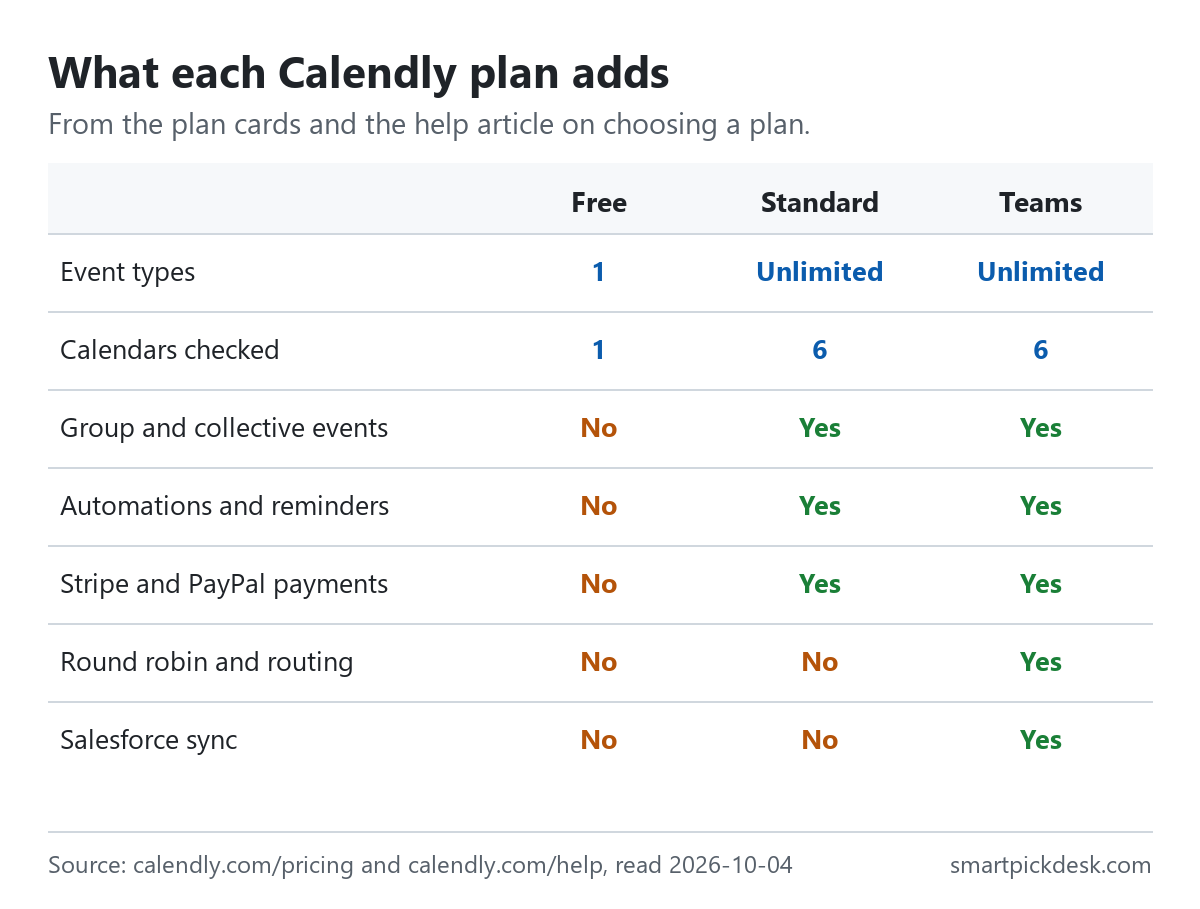
| Feature | Free | Standard | Teams |
|---|---|---|---|
| Event types | 1 | Unlimited | Unlimited |
| Calendars checked for conflicts | 1 | Up to 6 | Up to 6 |
| Group and collective events | No | Yes | Yes |
| Automations, reminders and follow-ups | No | Yes | Yes |
| Stripe and PayPal payments at booking | No | Yes | Yes |
| Round robin and lead routing | No | No | Yes |
| Salesforce sync | No | No | Yes |
The plan cards on the pricing page[1] and the help article on choosing a plan.[7]
The step from Free to Standard is about variety: more meeting types, more calendars checked, reminders and taking payment when someone books. The step from Standard to Teams is about sharing work between people: spreading meetings across a team and sending leads to the right person.
How seats are counted
Calendly's price is per seat, so the number of seats decides the bill as much as the plan does.
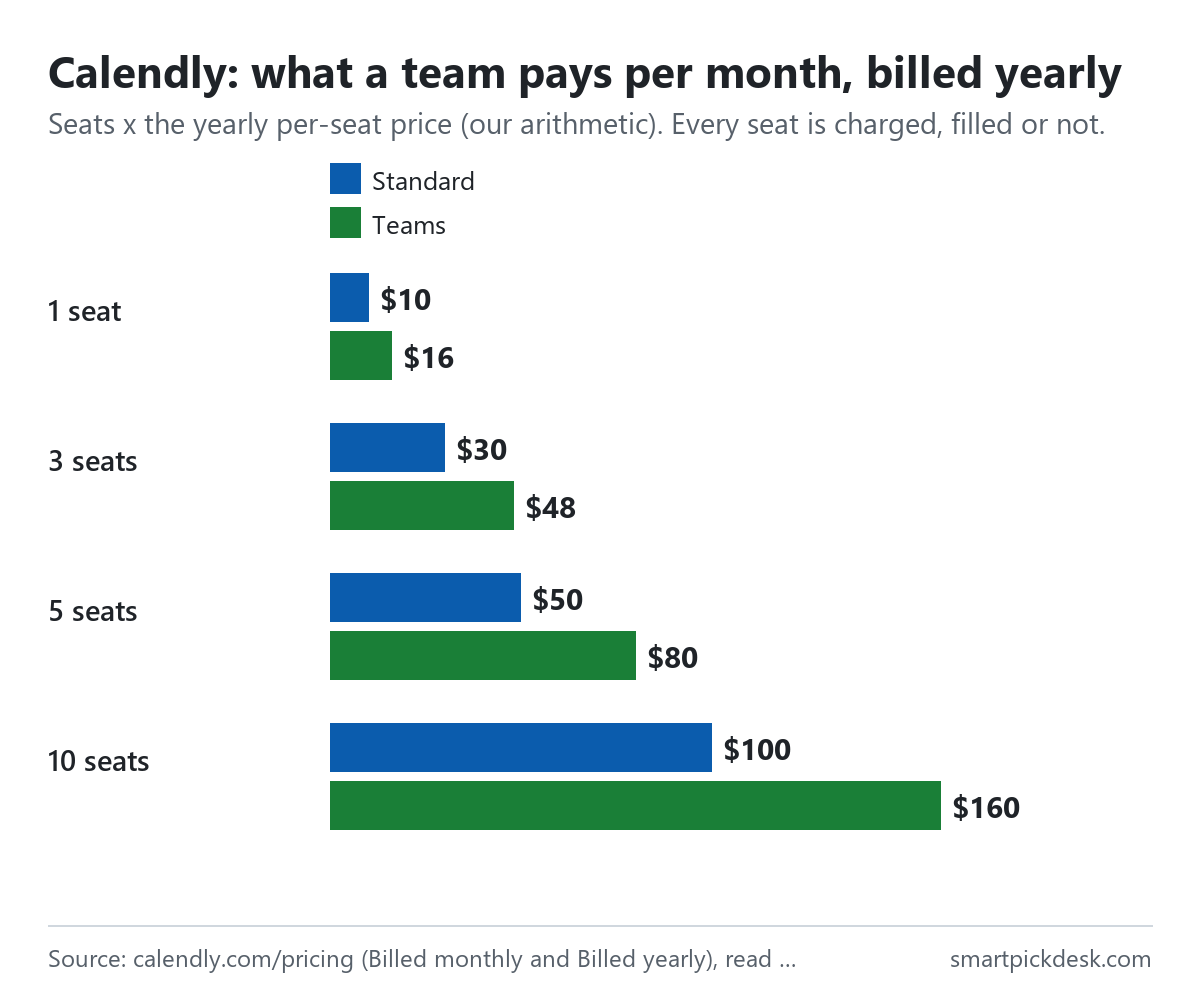
| Seats | Standard, billed yearly (per month) | Standard, a year | Teams, billed yearly (per month) | Teams, a year |
|---|---|---|---|---|
| 1 | $10 | $120 | $16 | $192 |
| 3 | $30 | $360 | $48 | $576 |
| 5 | $50 | $600 | $80 | $960 |
| 10 | $100 | $1,200 | $160 | $1,920 |
Seats × the yearly per-seat price on the pricing page (our arithmetic).[1] Tax is not included.
- Every seat is charged. “You pay for every seat, even if it’s not filled.” If you have five seats and four users, you pay for five.[2]
- Admins take a seat. “Owners and Admins of Calendly organizations count as a paid user seat on your Calendly subscription.”[5]
- Removing a person does not remove the seat. “When you remove a user from your organization, their paid seat remains available.” To stop paying for it, you remove the seat itself on the Billing page.[5]
- One plan per organization. “All users in a Calendly organization must be on the same plan, and individual users can’t have different plans within the same organization.”[3]
- Joining someone else's account. If you accept an invitation to another organization: “If you have an existing paid subscription, it will be canceled when you join.”[2]
Monthly or yearly
For one seat, the yearly price is $2 a month lower on Standard and $4 a month lower on Teams. By our arithmetic that is 16.7% off Standard and 20.0% off Teams, which fits the “Save up to 20%” label.
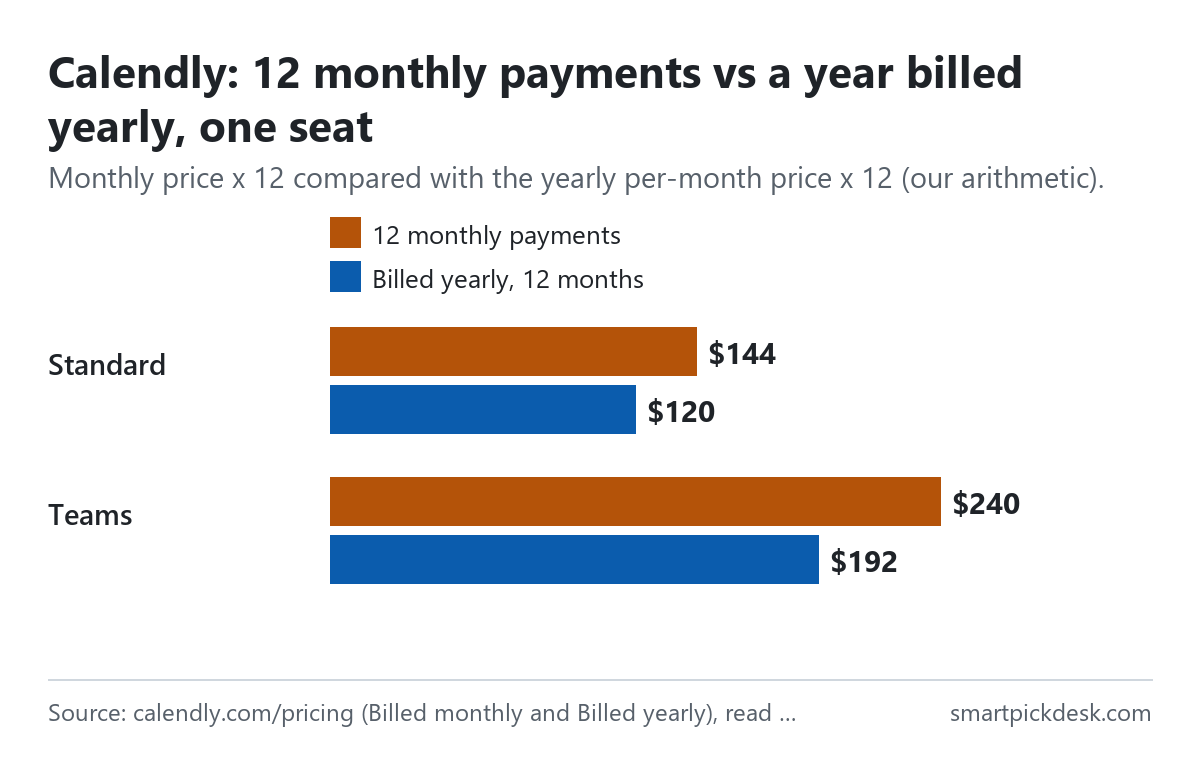
| Plan (one seat) | Monthly price | 12 monthly payments | Billed yearly, 12 months | Less over a year |
|---|---|---|---|---|
| Standard | $12 | $144 | $120 | $24 |
| Teams | $20 | $240 | $192 | $48 |
Per-seat prices from the pricing page in each billing mode;[1] the 12-month columns and the difference are our arithmetic. Calendly prints the yearly price per seat per month, not the yearly total.
Moving in one direction is easier than the other. Monthly to yearly is a button on the Billing page; the other way is not: “To switch from yearly to monthly, get in touch with our billing team by contacting support.”[3] Combined with the refund rule below, a yearly plan works as a commitment for the full year.
A worked example of the difference for a small team, by our arithmetic from the same prices: three people on Standard pay $36 a month on monthly billing ($432 over a year) or $30 a month on yearly billing ($360). Three people on Teams pay $60 a month monthly ($720 over a year) or $48 a month yearly ($576). The gap grows with every seat, because the discount is per seat, so the decision matters more for a team than for one person. If the team size is likely to change in the first months, the monthly price buys the freedom to remove seats at the end of each month instead of at the end of a year.
Teams price tiers above 30 seats
Larger teams on yearly billing get a lower average price per seat. The plan guide says the discount applies automatically, and: “The first 30 seats remain at the same price.”[7]
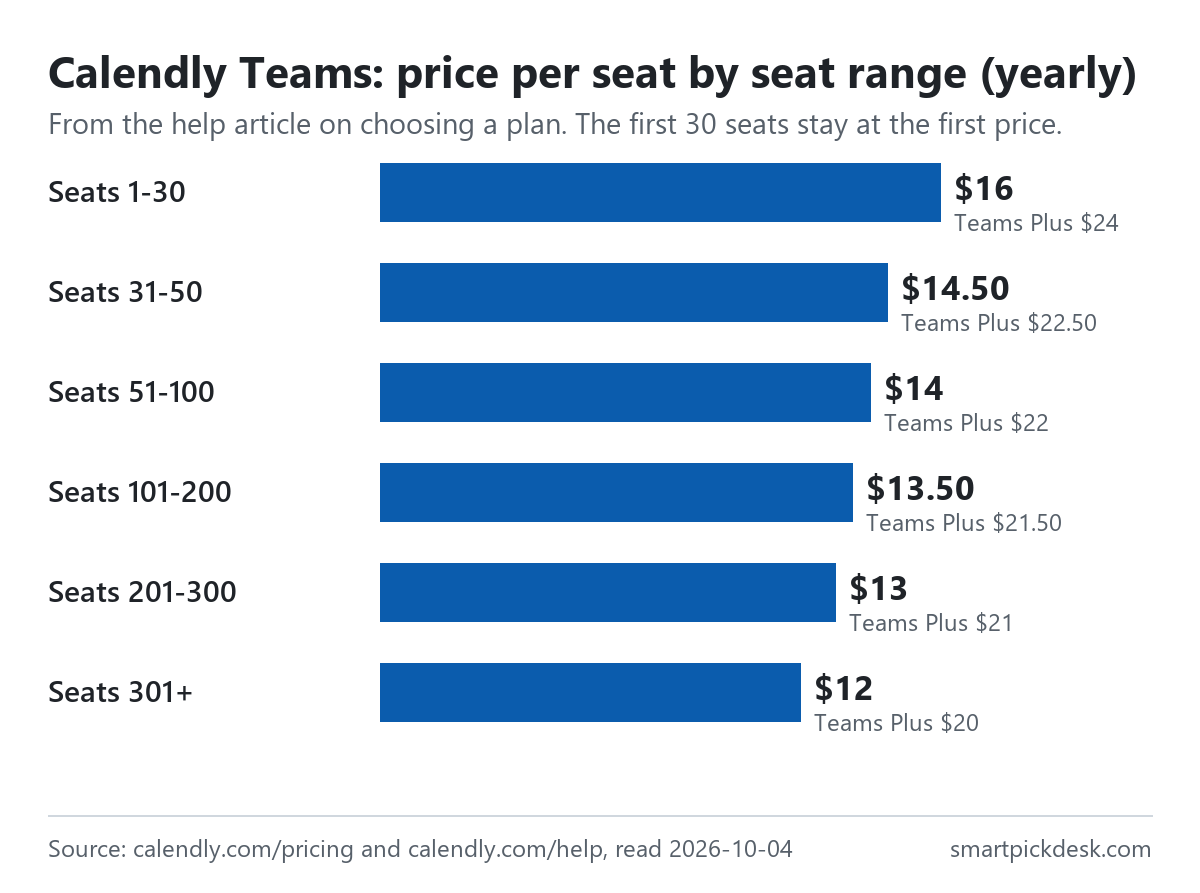
| Seats | Teams, per seat per month (yearly) | Teams Plus, per seat per month (yearly) |
|---|---|---|
| 1–30 | $16.00 | $24.00 |
| 31–50 | $14.50 | $22.50 |
| 51–100 | $14.00 | $22.00 |
| 101–200 | $13.50 | $21.50 |
| 201–300 | $13.00 | $21.00 |
| 301+ | $12.00 | $20.00 |
Tiered pricing table in the help article on choosing a plan.[7] “Teams Plus pricing is $8 more per seat per month than Teams at each tier, but follows the same discount model.”
The tiers work like tax bands, not like a single rate. The help article's own example: with 40 seats, seats 1–30 cost $16 each and seats 31–40 cost $14.50 each. By our arithmetic that is $480 + $145 = $625 a month, or $7,500 a year — not 40 × $14.50.[7]
Changing plans and seats
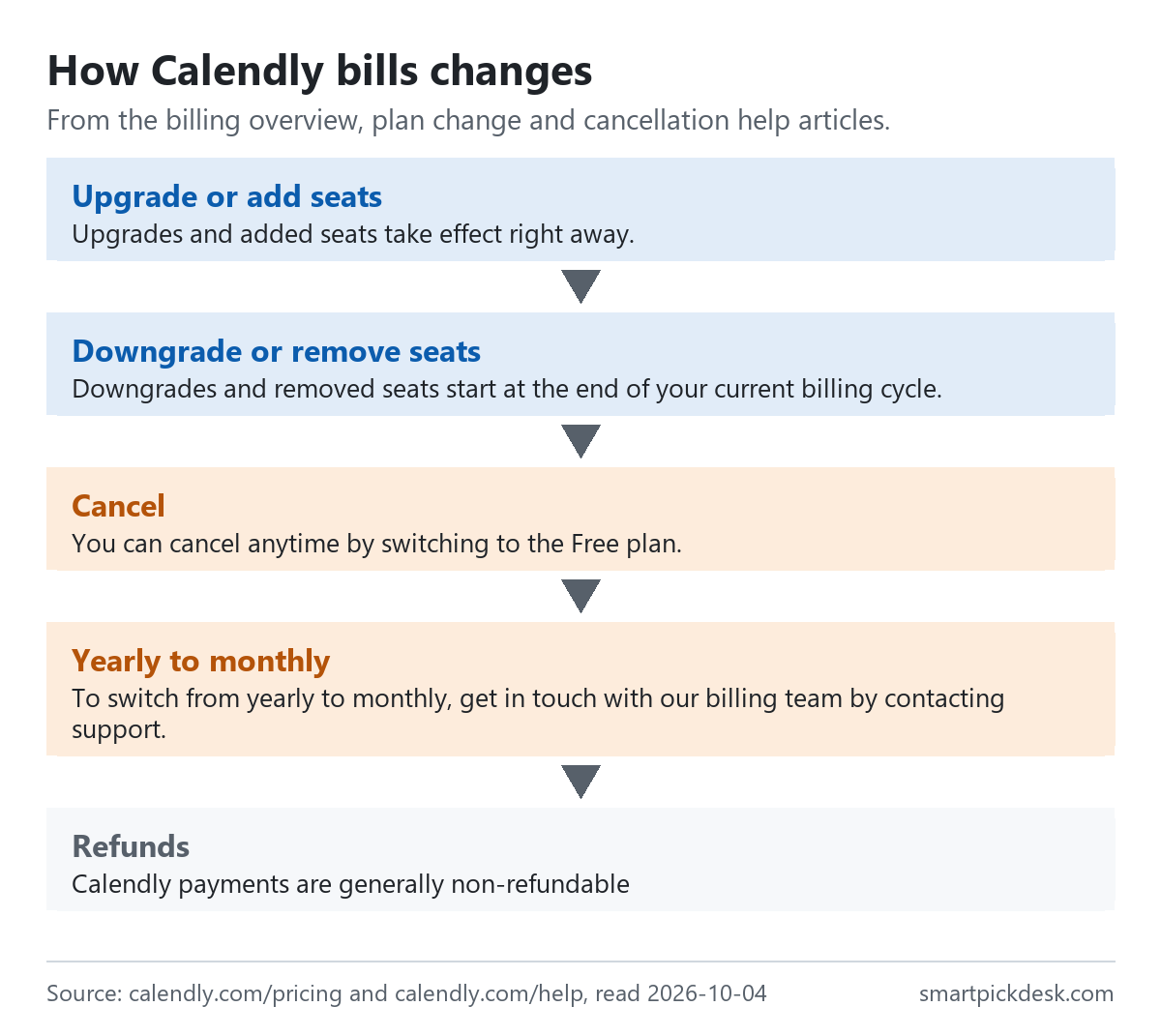
- Upgrades: “Upgrades and added seats take effect right away.” Adding seats shows the prorated cost before you confirm.[2][5]
- Downgrades: “Downgrades and removed seats start at the end of your current billing cycle.” You keep the current features until then, and a banner on the Billing page lets you undo the downgrade.[2][3]
- The payment date: “No. You can’t change your subscription payment date.”[2]
- Failed payments: Calendly retries the card on file every 24 hours, and you can update the card from the Billing page.[3]
- Legacy plans: “Calendly doesn't offer Essentials and Professional plans to new customers as of December 2024.” Existing users keep their price, but cannot return to those plans after leaving them.[8]
Cancelling and refunds
- Cancelling means moving to Free. “You can cancel anytime by switching to the Free plan.” The switch happens at the end of the current billing cycle, and paid features stay until then.[4]
- Refunds. “Calendly payments are generally non-refundable”, with a note that the support team may review special cases.[4]
- Deleting the account is a separate step from cancelling, covered in its own help article.[2][4]
Put together: on a yearly plan, cancelling stops the renewal, but the year you have paid for is generally not refunded. Starting on monthly billing for a month or two costs $2–$4 more per seat per month and keeps the commitment short.
Tax, payment and other costs
- Tax is extra. “Prices on our website do not include tax.” In the US, Calendly collects sales tax in the states listed in its tax article, which include New York, Texas, Washington and Pennsylvania. It also charges VAT or GST in the EU, UK, Australia, India and Canada unless a valid business tax number is entered.[6]
- Paying by bank transfer. “To use ACH or wire transfer, your purchase must be $5,000 USD or more.”[3]
- Discounts. The plan change article lists discounts for nonprofit and educational organizations on annual plans, with documentation.[3]
- Text message reminders. “Non-Enterprise plans: 250 SMS credits per seat, per month”. When they run out, “At 100% usage: Texts stop. Calendly sends emails instead.” Credits reset on the 1st of each month.[9]
- Taking payment for bookings through Stripe or PayPal is a Standard feature; those processors charge their own fees, which are not on Calendly's pricing page.[1][7]
Where Calendly's pages disagree
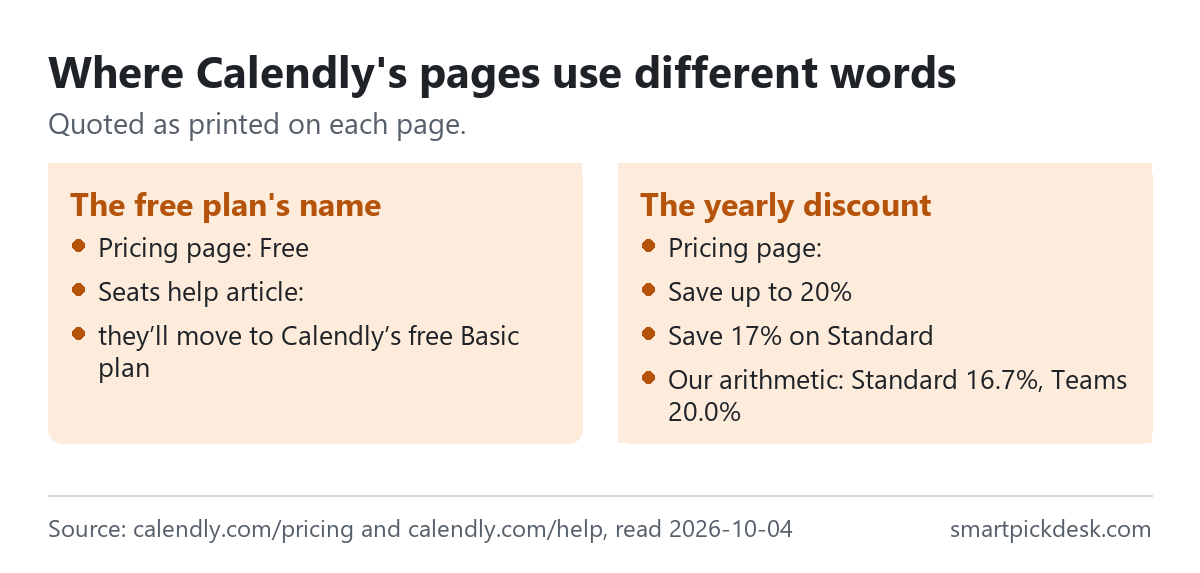
- The free plan's name. The pricing page and plan guide call it Free. The seats article says a removed user who keeps their account will be moved — “they’ll move to Calendly’s free Basic plan”.[1][5] We read this as the same plan under an older name, but the pages do not say so.
- The size of the yearly saving. “Save up to 20%” is true for Teams; Standard's own label is “Save 17%”, and by our arithmetic it is 16.7%.[1] Not a contradiction, but the headline figure applies to the higher plan.
- Which plan Teams builds on. The plan guide says Teams includes Standard features, not Standard Plus features, so moving from Standard Plus to Teams would drop the AI tools unless you choose Teams Plus.[7]
We have not asked Calendly about these. The prices on the plan cards are what we used throughout.
Which plan fits which situation
| If you are… | Look at | Why, from Calendly's pages | Watch out for |
|---|---|---|---|
| One person with one kind of meeting | Free | No end date; unlimited meetings[1][7] | One event type, one calendar[1] |
| One person offering several services | Standard, $10 a month billed yearly | Unlimited event types, reminders, payments[1][7] | Generally no refunds once paid[4] |
| A small team sharing incoming meetings | Teams, $16 a seat | Round robin and routing[7] | Every seat is charged, filled or not[2] |
| More than 30 people | Teams, yearly | Lower price per seat above 30[7] | The first 30 stay at $16[7] |
| Not sure yet | The two-week trial | Moves to Free by itself[2] | Paid features switch off at the end[2] |
| Sending many text reminders | Any paid plan | 250 SMS credits per seat a month[9] | Texts stop at the limit[9] |
See Calendly's own pricing page
Related pages on this site: Kajabi pricing, checked and Podia pricing, checked cover course tools that include coaching and booking features alongside a website. For a form that sits next to a booking link, Tally pricing, checked covers a free form builder, and Carrd pricing, checked a one-page site builder. Every price guide is on Pricing.
Questions people ask
Is Calendly free?
Yes. The Free plan has no end date: one event type, one calendar and unlimited one-on-one meetings.[1][7]
How much does Calendly cost?
Standard $12 per seat per month, or $10 billed yearly; Teams $20, or $16 billed yearly.[1] See the table.
Do I pay for every Calendly user?
You pay for every seat, filled or not; people booking with you need no seat.[1][2]
Is Calendly cheaper for big teams?
On yearly Teams plans, seats above 30 cost less, down to $12 each above 300 seats.[7]
Can I get a refund from Calendly?
Generally not; support may review special cases.[4]
Does Calendly add tax?
Yes where it is required: website prices exclude tax.[6]
Do you get paid if I sign up?
Not from this page — it has no affiliate links today. If that changes, it will say so at the top, and each link will be marked.
Sources and check log
| # | Source | URL | Checked | How |
|---|---|---|---|---|
| 1 | Calendly, Pricing (plan cards in both billing modes) | calendly.com/pricing | 2026-10-04 | Opened in a browser with no account; page text saved billed monthly and billed yearly |
| 2 | Calendly help, Billing overview | calendly.com/help › billing overview | 2026-10-04 | Page text saved |
| 3 | Calendly help, How to change your plan or billing information | calendly.com/help › change your plan | 2026-10-04 | Page text saved |
| 4 | Calendly help, How to cancel your Calendly subscription | calendly.com/help › cancel | 2026-10-04 | Page text saved |
| 5 | Calendly help, How to add or remove users and seats | calendly.com/help › users and seats | 2026-10-04 | Page text saved |
| 6 | Calendly help, Taxes and your Calendly subscription | calendly.com/help › taxes | 2026-10-04 | Page text saved |
| 7 | Calendly help, Choose the right Calendly plan | calendly.com/help › choose a plan | 2026-10-04 | Page text saved |
| 8 | Calendly help, Calendly's legacy plans | calendly.com/help › legacy plans | 2026-10-04 | Page text saved |
| 9 | Calendly help, SMS credit limits | calendly.com/help › SMS credits | 2026-10-04 | Page text saved |
Change log
- 2026-10-04 — First version. The pricing page in both billing modes and eight help articles read on 2026-10-04.
- Previous check: none for this page.
- What we will re-check: the per-seat prices in both modes, the Teams tier table, the trial length, the refund wording and the SMS credit allowance.
Who writes this
Smart Pick Desk is an independent site that compares tools for people who work online. We are not employed by, or partnered with, Calendly, and we do not run Calendly in our own business. What we do is read what each company publishes, write down the date we read it, and say plainly which parts we could not check. More: who the editors are and how we check a page.
We do not promise results. Nothing here is a prediction about what a tool will do for your bookings or sales.