beehiiv pricing, checked: Free, Lite, Pro and Enterprise at every subscriber count
Last updated 2026-10-04 · By Smart Pick Desk editors · Prices, plan table, FAQ, help centre and terms read on 2026-10-04 · We have not used beehiiv · How we checked ↓
The short answer
beehiiv lists four plans: Free, Lite, Pro and Enterprise. Lite and Pro are priced by how many active subscribers you have; sending more email does not raise the price on any plan. These four replaced the Launch, Scale and Max plans this page described until our 2026-10-04 check.
- Free holds up to 2,500 subscribers, with a website and a welcome email but no custom domain. The pricing FAQ says “Free is free forever, with no credit card required.”[1] The comparison table prints a dash for custom domains, paid subscriptions and custom automations on Free.[1]
- Lite starts at $49 a month with yearly billing, $59 billed monthly. That is the 1,000-subscriber tier. At 10,000 subscribers it is $119 a month with yearly billing, and at 100,000 it is $399. Above 100,000 Lite shows “Unavailable” and only Pro has a price.[1]
- Before you pay, read one line of the terms. “All fees are non-refundable.”[5] A monthly plan can be paused for up to 30 days; a yearly one cannot.[2]
If you want one sentence: beehiiv charges by subscriber tier, gives Free a website, unlimited sends and a welcome email, and keeps custom domains, automations and paid subscriptions for Lite and up.
On this page
What changed in the plan names
When we first wrote this page on 2026-09-25, beehiiv's pricing page listed Launch (free), Scale, Max and Enterprise. On 2026-10-04 the same page, and the help article on plan types, listed four different names. The help centre now opens with: “beehiiv offers four plans: Free, Lite, Pro, and Enterprise.”[2] That article shows “Updated: Oct 2, 2026” on the page.[2]
| What we recorded on 2026-09-25 | What the pages listed on 2026-10-04 | What we can say about the change |
|---|---|---|
| Launch (free) | Free | Both cap the free plan at 2,500 subscribers. Free prints a dash for custom domains, which Launch had listed.[1] |
| Scale and Max | Lite and Pro | New names, new prices and a new subscriber limit for Pro (250,000).[1] We do not treat Lite as a renamed Scale: the feature rows differ. |
| Enterprise | Enterprise | Still “Custom” with “Contact sales” and no printed price.[1] |
beehiiv's pages do not say when the change happened, why, or what existing Scale and Max accounts move to. We did not find that on any page we saved, so this page does not guess. If you already pay for Scale or Max, your account's billing page is the place that shows what you are on.
At a glance
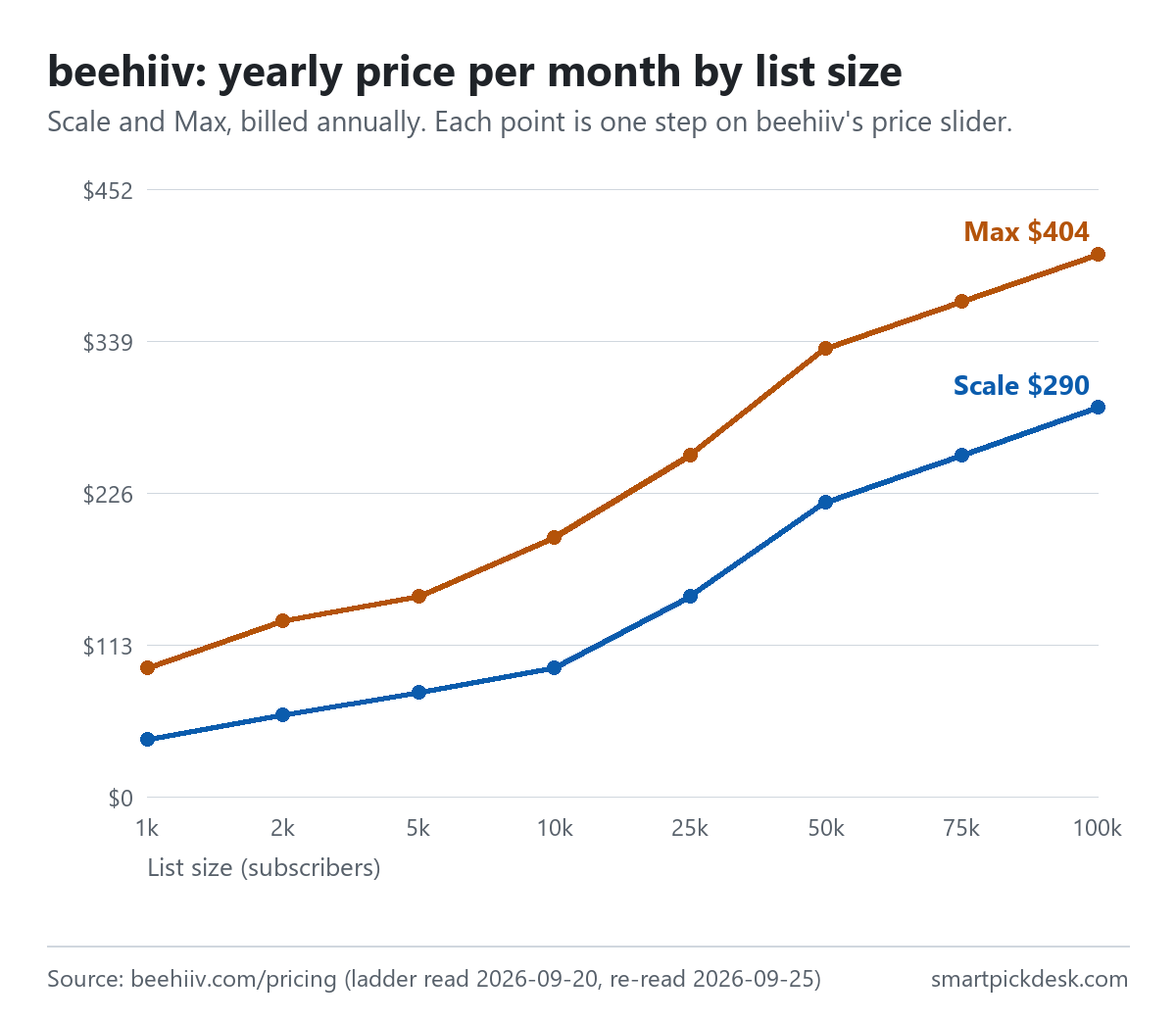
| Subscribers | Lite, yearly billing (per month) | Lite, billed monthly | Pro, yearly billing (per month) | Pro, billed monthly |
|---|---|---|---|---|
| 1,000 | $49 | $59 | $95 | $109 |
| 2,500 | $69 | $79 | $129 | $149 |
| 5,000 | $95 | $109 | $169 | $199 |
| 10,000 | $119 | $139 | $199 | $239 |
| 25,000 | $169 | $199 | $299 | $349 |
| 50,000 | $249 | $299 | $399 | $469 |
| 75,000 | $329 | $389 | $499 | $589 |
| 100,000 | $399 | $469 | $599 | $699 |
| 150,000 | Unavailable | Unavailable | $689 | $799 |
| 200,000 | Unavailable | Unavailable | $779 | $899 |
| 250,000+ | Unavailable | Unavailable | $869 | $999 |
All eleven positions of beehiiv's subscriber slider, read with the billing switch on “Yearly (and save)” and on “Monthly” on 2026-10-04.[1] The yearly cards print the price per month and the words “Yearly billing”; they do not print a yearly total. The Free card shows $0 at 1,000 and 2,500 and “Unavailable” from 5,000. Enterprise shows “Custom” at every position.
Two patterns in the table are worth knowing. First, Lite stops at 100,000: from 150,000 the Lite card reads “Unavailable”, so a list that size is choosing between Pro and Enterprise. Second, some prices repeat across plans. Lite at 5,000 subscribers is the same $95 a month (yearly billing) as Pro at 1,000. Lite at 25,000 matches Pro at 5,000 ($169), and Lite at 100,000 matches Pro at 50,000 ($399). So for the same money you can have more features on a small list or more subscribers on the lighter plan. Buttondown pricing, checked covers a newsletter tool that sets one price for each list size.
How we checked this (and what we did not check)
Last updated 2026-10-04 (rewritten for beehiiv's new plan names; the change log lists what moved). Every number and quotation here comes from beehiiv's own pages. Prices change — confirm on the official page before you sign up.
What we did. On 2026-10-04 we opened beehiiv.com/pricing in a browser with no account, moved the subscriber slider through all eleven positions and switched billing both ways, saving the page text at each one. We then opened the folded parts of the page — the comparison table and the FAQ answers — and saved the text again. The same day we saved three help-centre articles (plan types and tiers, changing plans, refunds) and beehiiv's Terms of Use. Wording in quotation marks is copied from those saved pages word for word, and a script checks every quotation against the text saved on 2026-10-04.
What we did not do. We have not used beehiiv. There is no account, no screenshot, and nothing here about how the editor, the ad network or the website builder work in practice. beehiiv has no public brand-asset terms, so we do not show its logo or screens; every image on this page is a chart we drew from the numbers. The comparison table marks several rows “COMING SOON”; we leave those rows out rather than describe features that are not yet there.
What that leaves. The price list, the plan rows as printed, and the billing rules as beehiiv writes them.
The Free plan
The Free card reads “The basics for creators just getting started.” and shows $0 with “Free forever”.[1] The FAQ adds: “Every plan includes unlimited email sends.” and “Free includes up to 2,500 subscribers”.[1]
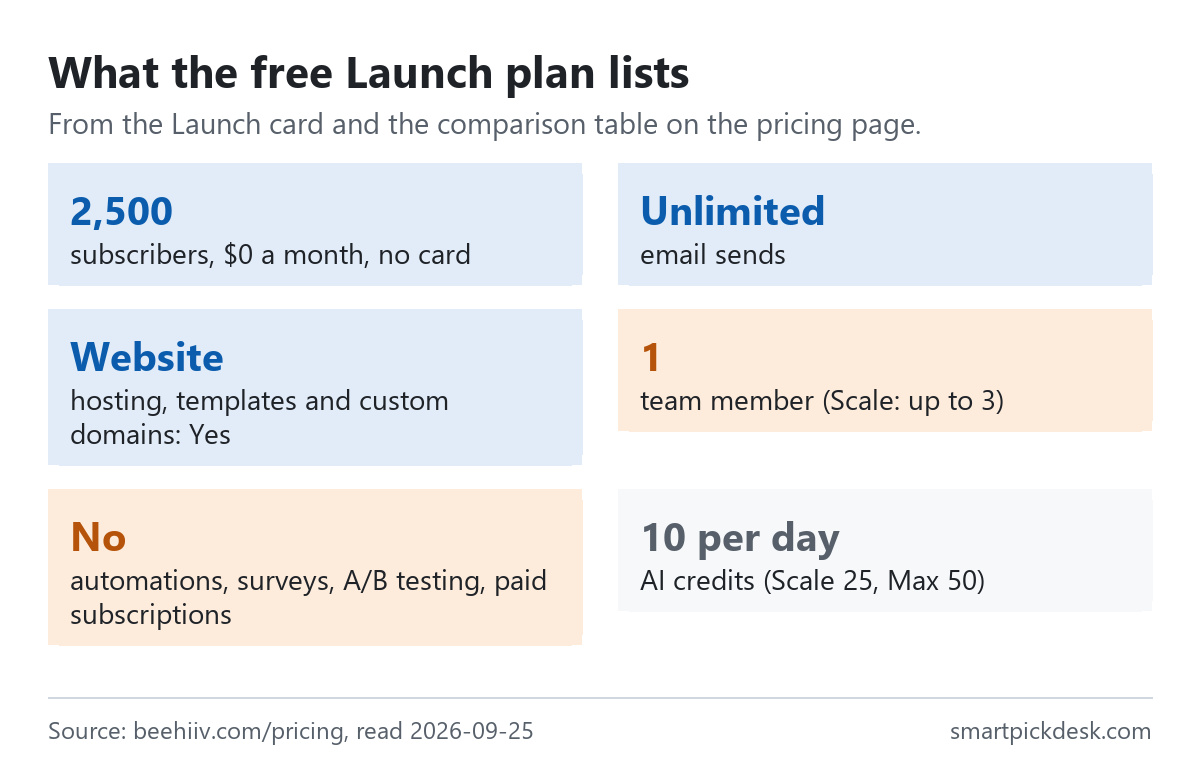
- Website: the comparison table lists the website builder, web hosting, website templates, subscribe forms and link-in-bio as Yes on Free, with 1 custom page.[1] Custom domains are a dash on Free and Yes from Lite.
- People and publications: 1 team seat and 1 publication on Free; 2 seats and 3 publications on Lite; 10 of each on Pro.[1]
- Email: “Welcome email” is Yes on Free; “Live custom automations” is a dash on Free, 10 on Lite and Unlimited on Pro.[1]
- Podcast: 1 show and 5,000 monthly downloads on Free.[1]
- Not on Free: custom domains, custom HTML, A/B testing, surveys, the referral program, the ad network and paid subscriptions are all printed as a dash.[1]
The help centre adds a detail for anyone who moves down to Free later: “Automations are turned off, with the exception of your welcome email automation.”[3] So the one automatic email Free keeps is the welcome email.
There is also a trial. The help centre says: “When you create a beehiiv account, you can start a 14-day free trial of Pro plan features.” and “Some limits apply during a trial.”[2] The pricing FAQ says “Lite and Pro include a free trial so you can use paid features before you subscribe.”[1] The saved pages do not list which limits apply during the trial, so we do not either.
In practice, Free fits someone who wants a newsletter with its own page on beehiiv's address and will write each issue by hand after the welcome email. If a hosted website is the reason you are looking, our guide to starting an email list without a website compares what each free plan hosts. Other free newsletter plans are gathered on Free plans.
What Lite adds
The Lite card reads “For those ready to grow faster and start monetizing.” and opens its list with “Everything in Free plan, plus:”, followed by paid subscriptions, a “0% take rate”, ad monetization, automations, audience polls and A/B testing.[1]
On money, the FAQ says “beehiiv takes 0% of your paid subscription and digital product revenue.” and that you keep what you earn minus “Stripe's standard processing fee of 2.9% + $0.30 per transaction”.[1] That is beehiiv's statement of its own fee; we have not checked Stripe's pricing for your country. For newsletters that charge readers, Substack pricing, checked and Ghost(Pro) pricing, checked show how two other publishing tools take their share or set their price.
What changes in practice when you move from Free to Lite, row by row in the comparison table:
- custom domains turn from a dash to Yes;
- “Live custom automations” goes from a dash to 10;
- paid subscriptions become available, with 1 paid subscription tier;
- team seats go from 1 to 2, publications from 1 to 3, custom pages from 1 to 5;
- the analytics lookback window goes from 30 days to 12 months.[1]
What does not change is the branding: “Remove beehiiv branding” is a dash on both Free and Lite.[1]
What Pro adds, and what it costs over Lite
The Pro card is marked “Most Popular”, reads “For creators and brands scaling content-led business.” and starts with “Everything in Lite plan, plus:”. Its list names “Remove beehiiv branding”, “Webinars and coaching”, “Advanced analytics”, webhooks, “Dynamic Content” and “24/7 priority support”.[1]
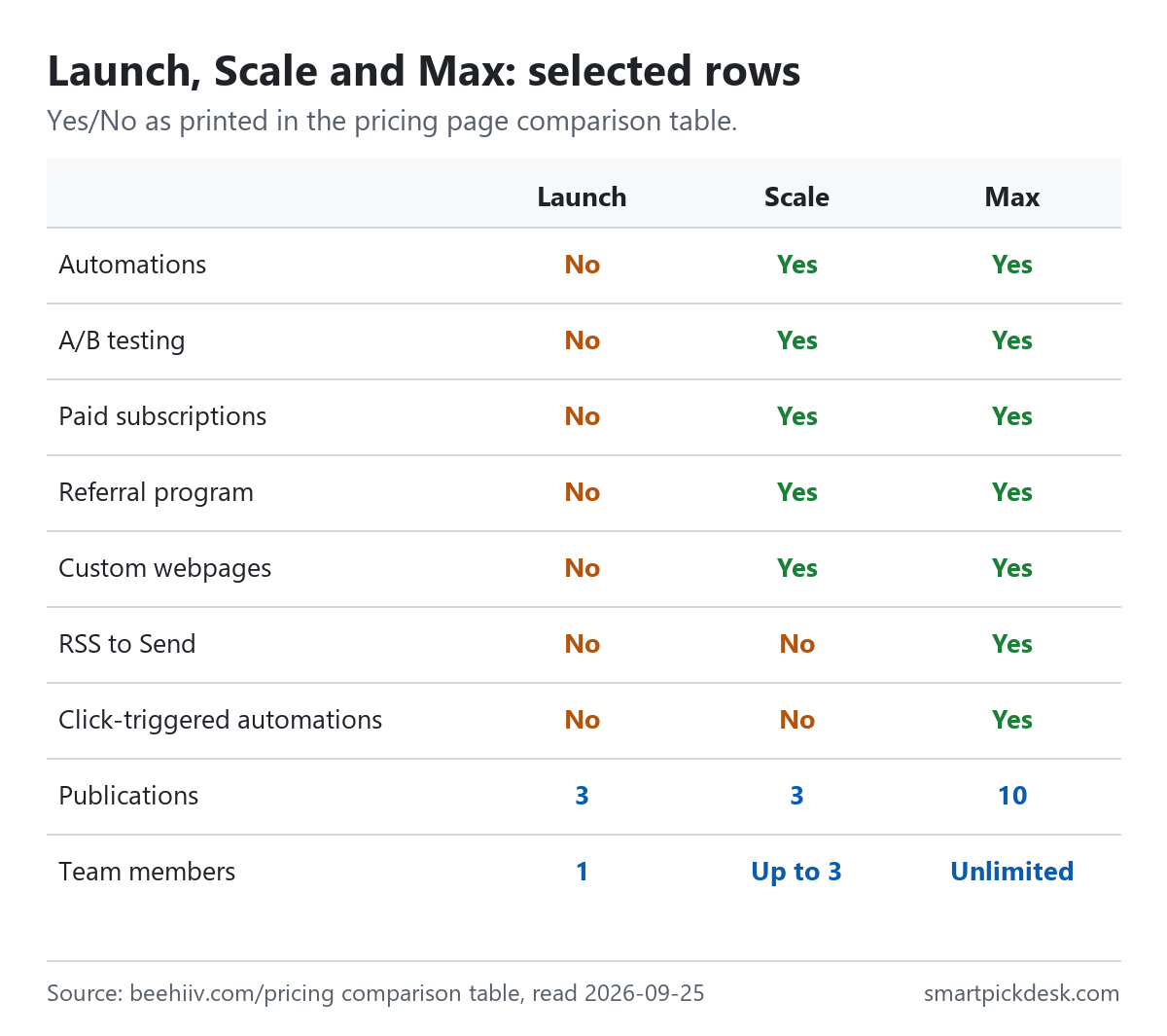
Other rows that turn on only at Pro include RSS to Send, audio newsletters, click-triggered automations, paid trials, group subscriptions, the sponsorship storefront and the Send API.[1] Pro also lifts the subscriber limit to 250,000, against 100,000 on Lite.[1]
With yearly billing, Pro costs this much more than Lite per month at each tier: $46 at 1,000 subscribers, $60 at 2,500, $74 at 5,000, $80 at 10,000, $130 at 25,000, $150 at 50,000, $170 at 75,000 and $200 at 100,000.
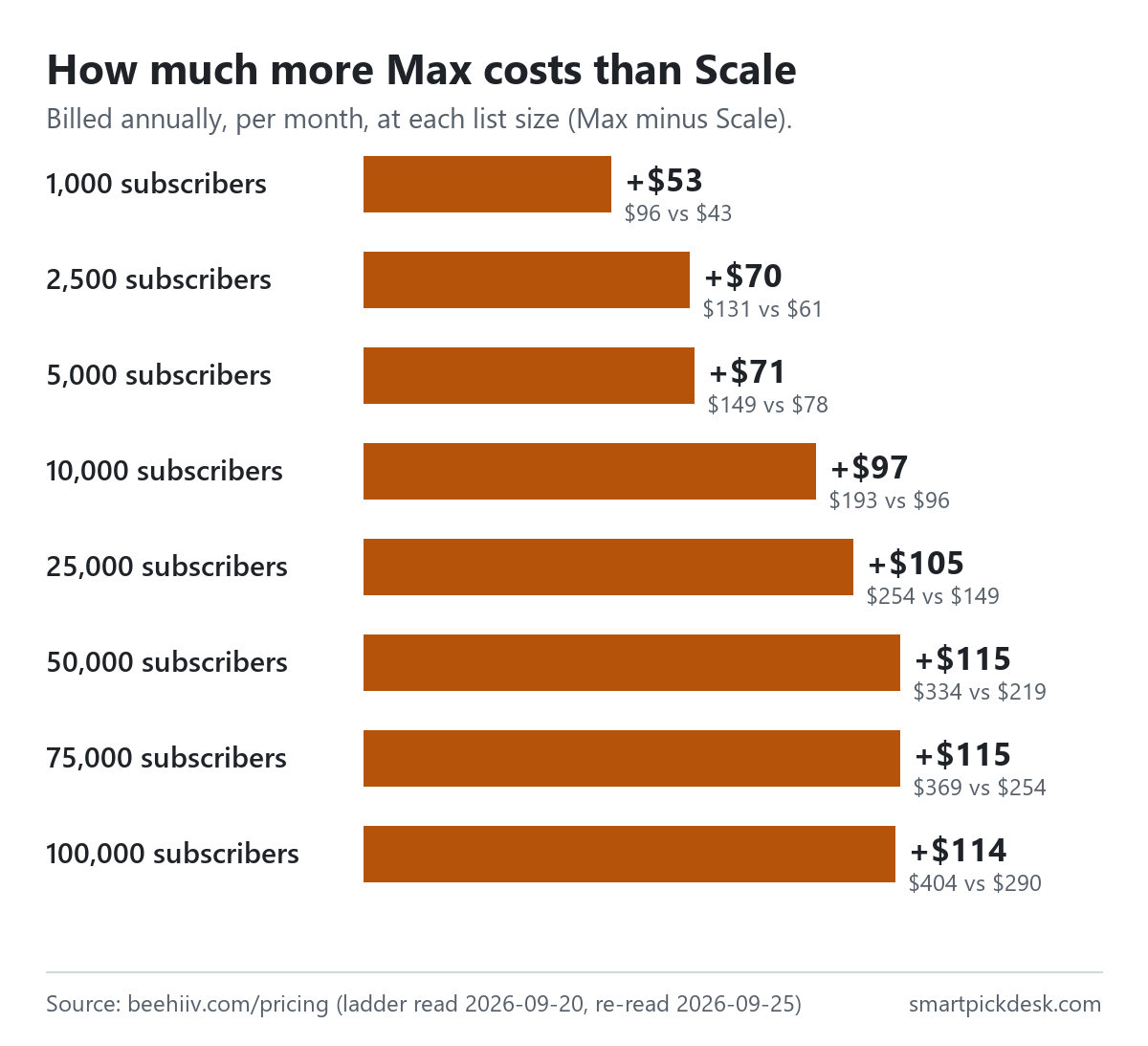
So Pro is nearly double Lite on a small list ($95 against $49 at 1,000) and about one and a half times Lite at 100,000 ($599 against $399).[1] The case for Pro on the page is branding removal, more seats and publications, and a set of sending features; if none of those are on your list, the price gap is the main difference you will notice.
Plan type vs plan tier: why the price moves inside one plan
beehiiv uses two words that are easy to mix up, and the help article on plans defines both. In its words: “Your plan type decides which features you get. Your plan tier decides what you pay for that plan.”[2]
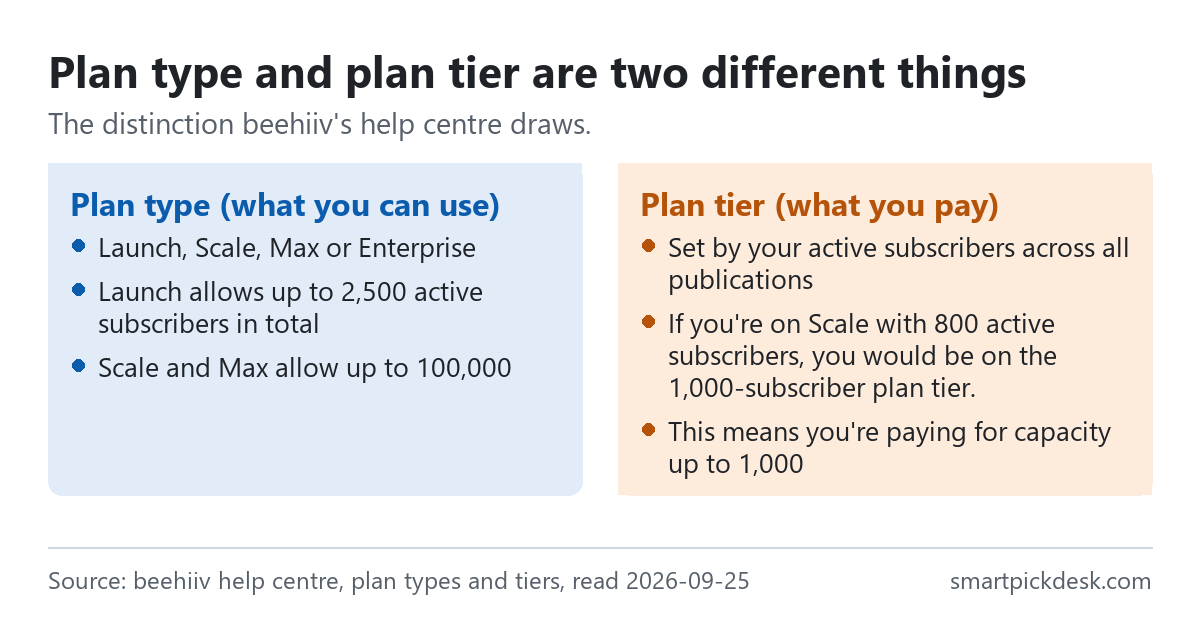
The plan type sets the ceiling: Free up to 2,500, Lite up to 100,000, Pro up to 250,000, Enterprise custom.[1] The plan tier is the step on the slider you pay for inside that type. When you outgrow the type, the help article says: “When your subscriber count reaches your plan type's limit, you'll need to upgrade to the next plan type to keep growing.”[2]
Two more lines from the same article decide your bill:
- “Active subscriber: A subscriber you're sending to who hasn't unsubscribed or been marked inactive.”[2]
- “beehiiv adds up the active subscribers across all the publications in your workspace, and that total is compared with your plan's limit.”[2] Its own example: two publications with 3,000 and 2,000 active subscribers make an account of 5,000.
What this means if you are on Free with, say, 1,800 subscribers and want a custom domain: moving to Lite puts you on the 2,500 tier ($69 a month with yearly billing), not the 1,000 tier.
Monthly or yearly
The billing switch on the pricing page reads “Yearly (and save)” and “Monthly”. The FAQ puts the saving this way: “Yearly billing saves up to 20% compared with paying month to month.”[1] The yearly cards print a price per month and the words “Yearly billing”, not a yearly total.
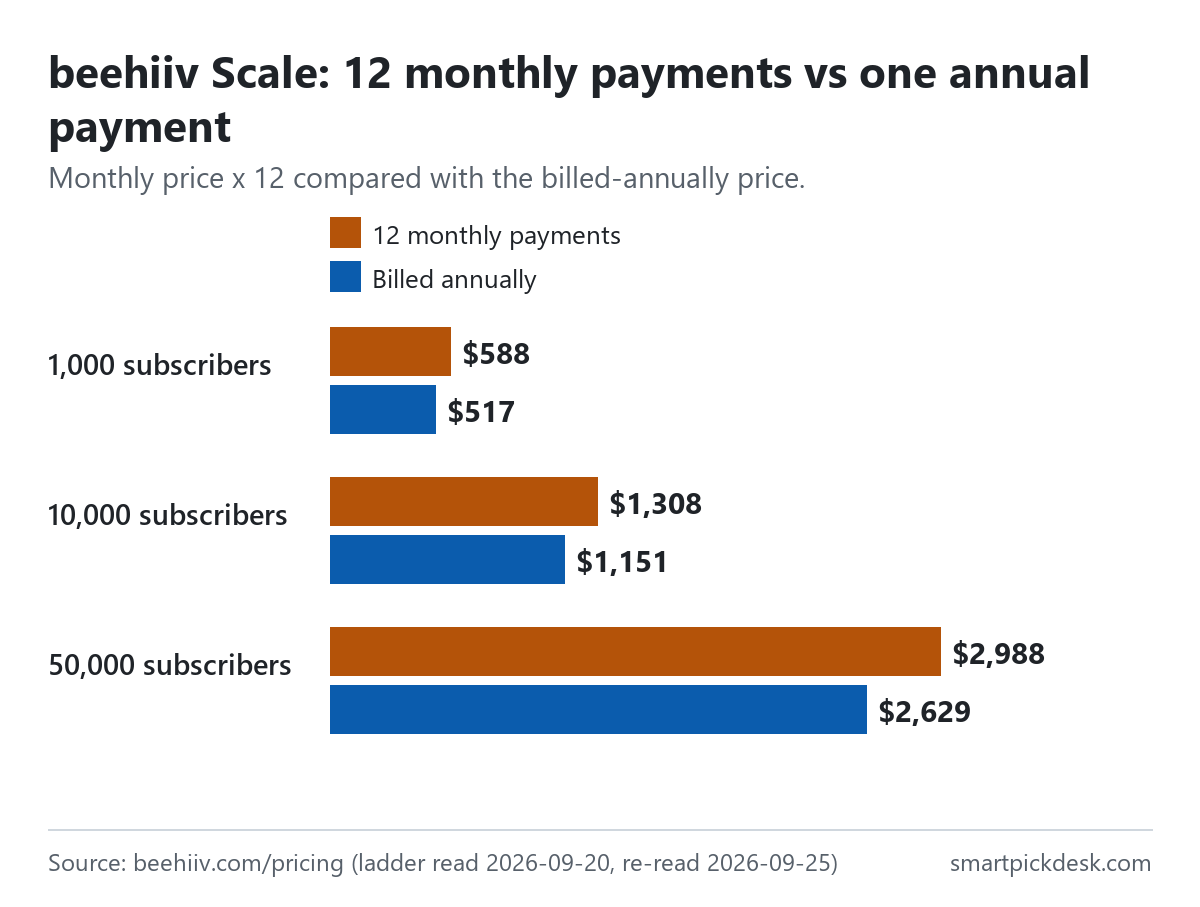
| Plan and tier | Monthly price | 12 monthly payments | 12 × the yearly-billing price | Less over a year |
|---|---|---|---|---|
| Lite, 1,000 | $59 | $708 | $588 | $120 |
| Lite, 5,000 | $109 | $1,308 | $1,140 | $168 |
| Lite, 10,000 | $139 | $1,668 | $1,428 | $240 |
| Lite, 50,000 | $299 | $3,588 | $2,988 | $600 |
| Lite, 100,000 | $469 | $5,628 | $4,788 | $840 |
| Pro, 1,000 | $109 | $1,308 | $1,140 | $168 |
| Pro, 10,000 | $239 | $2,868 | $2,388 | $480 |
| Pro, 250,000+ | $999 | $11,988 | $10,428 | $1,560 |
Monthly prices and yearly-billing prices per month from the pricing page.[1] The other three columns are our arithmetic: twelve times each price, and the difference. Because the page does not print a yearly total, the fourth column is twelve times the per-month figure it does print. Across all nineteen priced steps, our arithmetic puts the saving between about 12.7% and 16.9% of the monthly total; the FAQ's figure is “up to 20%”.
Three rules to weigh against that saving, all from the help centre: the pause option exists only on monthly billing (“You can't pause a plan that's billed annually.”); moving from yearly to monthly takes effect later (“Monthly billing starts when your current annual plan ends.”); and switching from monthly to yearly is charged at once (“You're charged when you click Confirm.”).[2][3] Add the terms' line that all fees are non-refundable,[5] and paying yearly is a commitment for the year.
Going past your tier on a paid plan
beehiiv lets you choose what happens when your list outgrows its tier. The setting is named in the help centre: “Auto-upgrade my plan tier when I reach my subscriber limit”.[3]
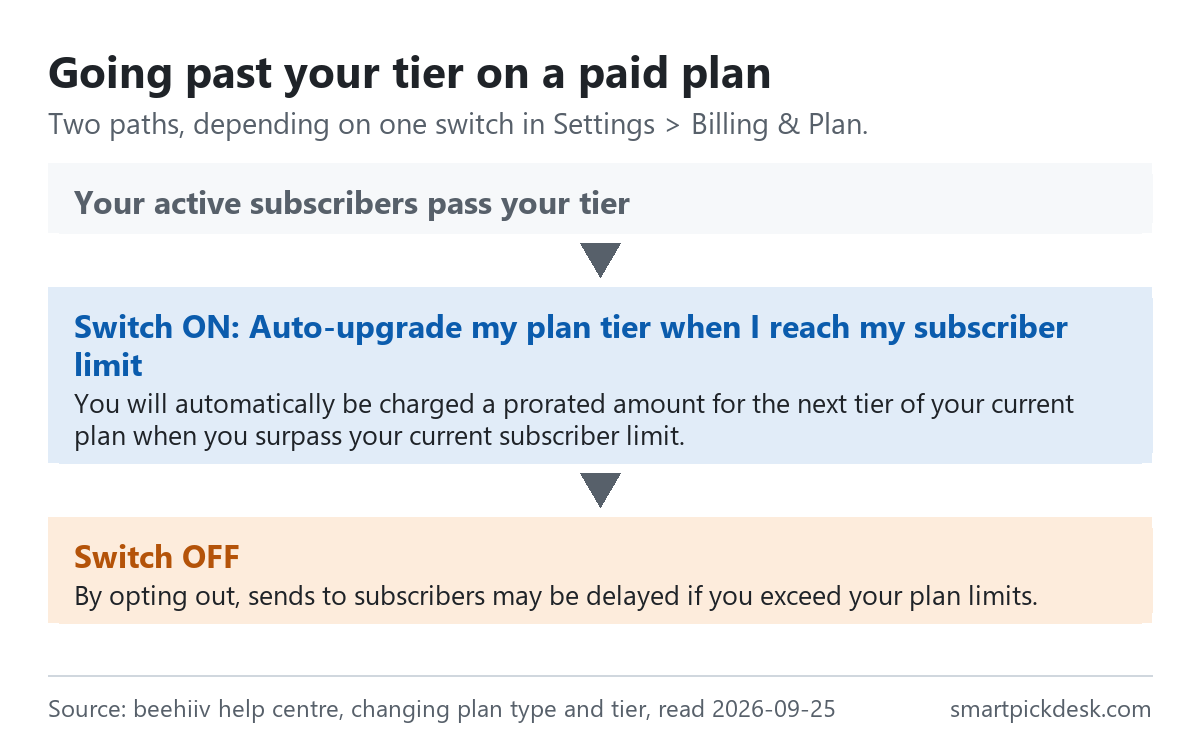
- Switch on: “When you go over your current subscriber limit, you're charged a prorated amount for the next tier of your current plan.” The note adds: “Any active discounts on your subscription still apply.”[3]
- Switch off: “If you don't turn this on, sends to your subscribers may be delayed when you go over your plan limits.”[3]
The article does not say how long a delay can last or how much over the limit triggers it, so we do not either. For a newsletter with a fixed send day, the choice is between a larger bill arriving without a click and an issue that may not go out on time. The switch moves you up a tier; it does not move Lite to Pro when Lite's 100,000 ceiling is reached.
Manual upgrades have one detail worth knowing before you click: on an existing paid plan, “Your card on file is charged automatically.”[3] And one payment detail from the plan FAQ: “Prepaid credit cards aren't accepted.”[2]
Downgrading, pausing and cancelling
The help article on changing plans covers three ways to spend less.
- A lower tier on the same plan. “Your new subscriber amount starts at the beginning of your next billing cycle, and that's when you're charged.” The same note warns: “Automations can also be affected if your subscriber count is higher than your plan tier.”[3]
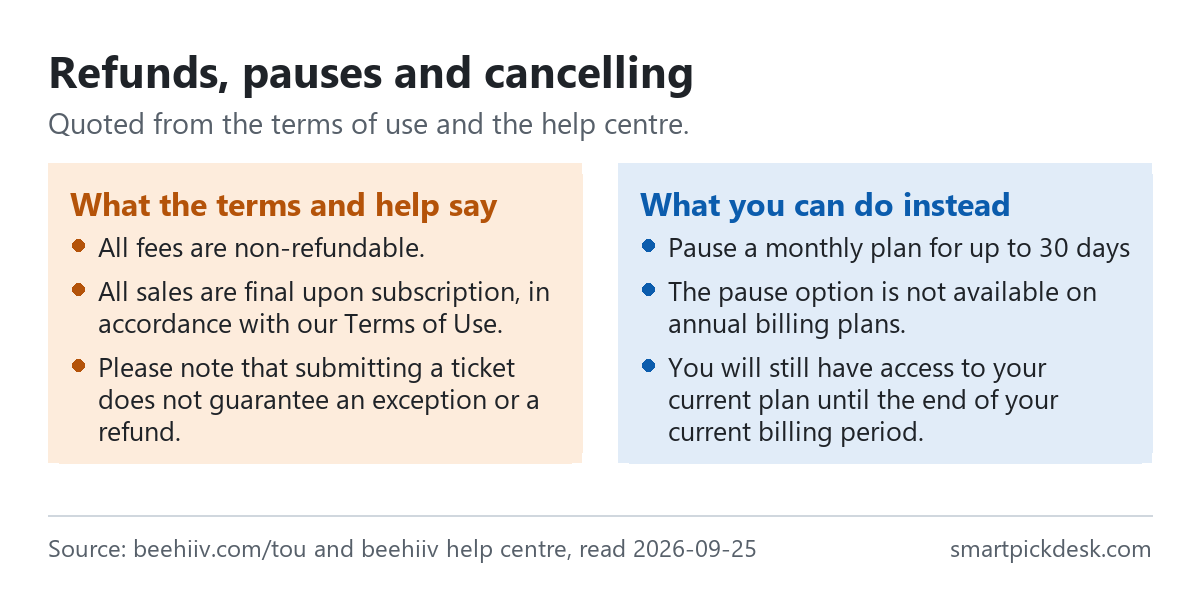
- Pausing (monthly plans only). The plan FAQ says: “You can pause your subscription for up to 30 days, starting at the end of your current billing cycle.” and “While it's paused, your account has the features of the Free plan, including subscriber limits.”[2]
- Moving to Free. “Downgrading to the Free plan keeps your account and all your content in place.” After a downgrade, “You keep your current plan until the end of your billing period.”[3]
Moving back to Free changes more than the price. The article lists what happens, including: “Custom domains stay connected and keep working. You can't add a new custom domain on the Free plan.”, “Webhook endpoints are disabled.” and, for sites built with the website builder, “All published custom pages are unpublished.” — after which “the Free plan lets you publish one custom page.”[3] If your site relies on several custom pages, a downgrade takes all but one off the live site.
Refunds, tax and the terms
beehiiv's Terms of Use (the page reads “Date last modified: July 16, 2026”, the same date as at our earlier check) are short on this point: “All fees are non-refundable.”[5] The help article on refunds says the same in its first lines, “All sales are final upon subscription, in accordance with our Terms of Use.”, and lists cases it cannot refund, including “Non-usage of the platform.”, “Failure to cancel your account before the next billing cycle.”, “Lack of features or functionality on your subscribed plan.” and “Purchases made in error.”[4] It ends by noting that submitting a support ticket does not mean an exception or a refund will follow.[4] The same article mentions “the initial 14-day trial” as the way to try paid features first.[4]
The terms do describe one route to a partial refund: if beehiiv makes a material reduction in core functionality during your term and you are materially adversely affected, you may cancel and receive a pro-rated refund of prepaid fees for the unused part.[5] On cancelling in general, the terms say you keep the plan to the end of the term but “you will not be eligible for a prorated refund”.[5]
- Tax: “All fees payable by you for use of the Services are exclusive of taxes and similar assessments.”[5] The pricing page prices do not include tax.
- Price changes: beehiiv may change fees “at any time on a going forward basis by providing not less than thirty (30) days advance notice”, and “we do not provide price protection or refunds in the event of a price drop or promotional offering”.[5]
- Free accounts that go quiet: “If you have a free account, we may cancel your account and reclaim the subdomain after a period of inactivity.” The terms add that beehiiv will generally give not less than 30 days' notice by email.[5] Because Free has no custom domain, a Free site lives on that subdomain; if it is your only web address, keep the account in use.
- Discount codes: the plan FAQ explains how to add a promotion code, and says “If you got a discount through an affiliate link, use the link itself instead of entering a code.”[2] We have no code to offer.
Which plan fits which situation
| If you are… | Look at | Why, from beehiiv's pages | Watch out for |
|---|---|---|---|
| Starting a newsletter with its own web page | Free | 2,500 subscribers, unlimited sends, website builder and hosting, a welcome email[1] | No custom domain; the subdomain may be reclaimed after inactivity[5] |
| Wanting your own domain, automations or a paid newsletter | Lite, from $49 a month with yearly billing | Custom domains, 10 live custom automations and paid subscriptions on Lite[1] | Tier is set by active subscribers across all publications[2] |
| Needing no beehiiv branding, or more than 3 publications | Pro, from $95 a month with yearly billing | Branding removal, 10 publications, 10 team seats[1] | At 1,000 subscribers Pro is nearly double Lite |
| Over 100,000 subscribers | Pro or Enterprise | Lite reads “Unavailable” from 150,000; Pro goes to 250,000[1] | Enterprise prints “Custom”, not a price |
| Unsure about committing for a year | Lite or Pro, monthly | Monthly plans can be paused for up to 30 days[2] | All fees are non-refundable[5] |
See beehiiv's own pricing page
Weighing beehiiv against Kit? Kit vs beehiiv finds the list size where the cheaper one changes. The other price lists: Kit pricing, checked and MailerLite pricing, checked. All free plans side by side: what free means on 8 platforms. To compare beehiiv with Kit and MailerLite in one place, see how to choose an email marketing platform.
Questions people ask
Is beehiiv free?
Yes, up to 2,500 subscribers. The FAQ says “Free is free forever, with no credit card required.”[1] Sending is unlimited and a welcome email is listed; custom automations, paid subscriptions and a custom domain are not.
How much does beehiiv cost per month?
At 1,000 subscribers, Lite is $59 a month billed monthly or $49 with yearly billing; Pro is $109 or $95.[1] The full ladder is in the table above.
What happened to Launch, Scale and Max?
On 2026-10-04 beehiiv's pricing page and help centre listed Free, Lite, Pro and Enterprise instead.[1][2] See what changed.
What happens if I go over my beehiiv tier?
With the auto-upgrade setting on, you are charged a prorated amount for the next tier; with it off, sends may be delayed.[3]
Can I get a refund from beehiiv?
The terms say “All fees are non-refundable.”[5] The refund help article lists cases in which beehiiv cannot refund; the terms describe an exception for a material reduction in core functionality.[4][5]
Can I pause a beehiiv plan instead of cancelling?
Only on monthly billing, for up to 30 days from the end of the current cycle.[2]
Do you get paid if I sign up?
Not from this page — it has no affiliate links today. If that changes, it will say so at the top, and each link will be marked.
Sources and check log
| # | Source | URL | Checked | How |
|---|---|---|---|---|
| 1 | beehiiv, Pricing (plan cards, subscriber slider, billing switch, comparison table, FAQ) | beehiiv.com/pricing | 2026-10-04 | Opened in a browser with no account; all eleven slider positions saved in both billing positions; table and FAQ saved opened |
| 2 | beehiiv help centre, Plan types and subscriber plan tier pricing (with its FAQ) | beehiiv.com › support › plan types and tiers | 2026-10-04 | Page text saved with FAQ answers opened |
| 3 | beehiiv help centre, How to change your beehiiv plan type and plan tier | beehiiv.com › support › change plan | 2026-10-04 | Page text saved |
| 4 | beehiiv help centre, Am I eligible for a refund? | beehiiv.com › support › refunds | 2026-10-04 | Page text saved |
| 5 | beehiiv, Terms of Use (Sections on modification of the Services, fees, termination) | beehiiv.com/tou | 2026-10-04 | Page text saved |
Change log
- 2026-10-04 — Rewritten for beehiiv's new plan names. The pricing page and help centre now list Free, Lite, Pro and Enterprise instead of Launch, Scale and Max. Every price, plan row and quotation on this page was re-read on 2026-10-04; nothing from the earlier version was kept without re-checking it against the new pages. The charts were redrawn from the new numbers.
- 2026-09-25 — First version (Launch, Scale and Max).
- Previous check: 2026-09-25.
- What we will re-check: all eleven tiers in both billing positions, whether a yearly total appears on the page, the auto-upgrade wording, and the refund and pause rules.
Who writes this
Smart Pick Desk is an independent site that compares tools for people who work online. We are not employed by, or partnered with, beehiiv, and we do not run beehiiv in our own business. What we do is read what each company publishes, write down the date we read it, and say plainly which parts we could not check. More: who the editors are and how we check a page.
We do not promise results. Nothing here is a prediction about what a tool will do for your list.