Substack pricing, checked: free to publish, a 10% fee when you charge, and what Stripe adds
Last updated 2026-10-04 · By Smart Pick Desk editors · Substack's help centre, terms and product pages read on 2026-10-04 · We have not used Substack · How we checked ↓
The short answer
Substack has no plans and no price list for writers. Publishing costs nothing at any list size; the costs begin when readers start paying you, and they come as a percentage of each payment rather than a monthly bill.
- Free to publish, at any size. “Publishing on Substack is free, no matter how many subscribers you have.”[1]
- 10% of each paid subscription payment, plus Stripe's fees. For US cards Stripe takes 2.9% + $0.30 per payment and 0.7% for recurring billing.[1] On a $10 monthly payment that leaves $8.34 before tax (our arithmetic).
- One optional fixed cost: a custom domain is a one-time $50, and you must already own the domain.[3]
If you want one sentence: Substack is free until you charge, and then it costs a share of every payment, so the fees grow with your income from readers rather than with your list.
On this page
At a glance
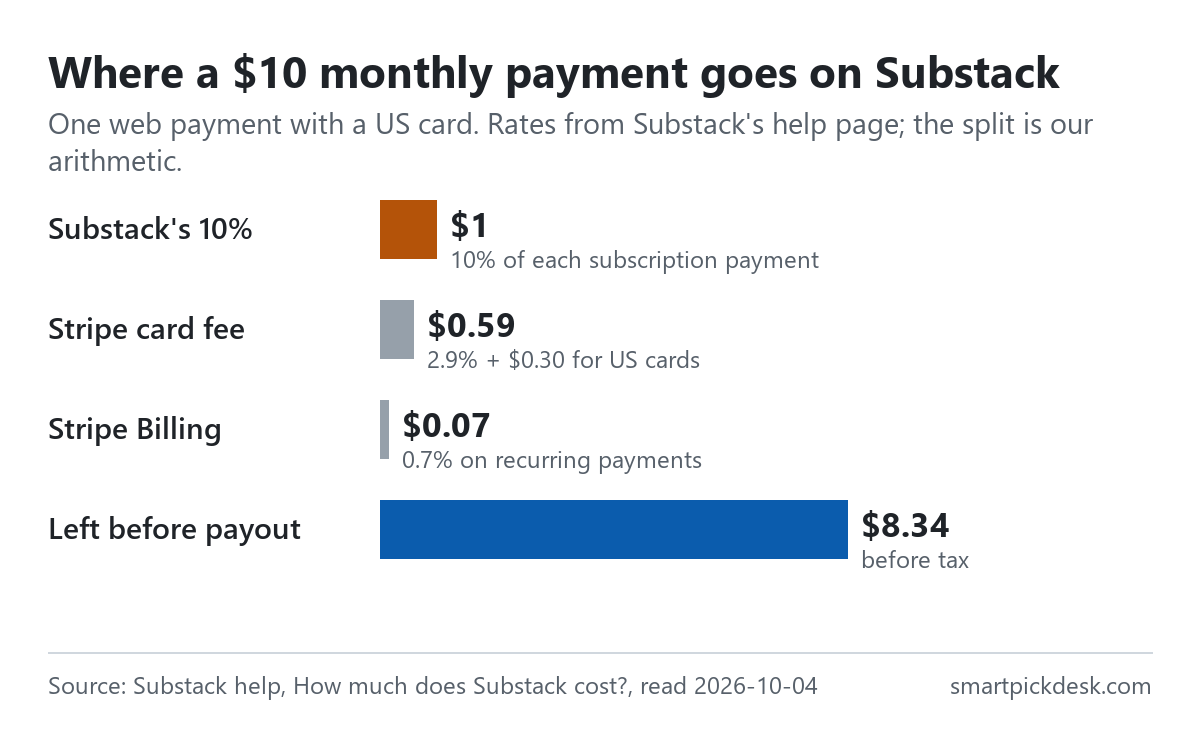
| Cost | Amount | When it applies |
|---|---|---|
| Publishing, sending email, any list size | Free | Always[1] |
| Substack fee | 10% of each subscription payment | Only on paid subscriptions[1] |
| Stripe card processing (US cards) | 2.9% + $0.30 per payment | Each card payment[1] |
| Stripe Billing | 0.7% | Recurring payments, card or not[1] |
| Local payment methods | Set by Stripe; varies by country | For example SEPA, iDEAL, Bancontact[1] |
| Custom domain | One-time $50 | Optional[1][3] |
From the fee table in Substack's help article “How much does Substack cost?”, which the help centre shows as updated on October 3, 2026.[1] Stripe's percentages are Stripe's prices for US accounts as Substack prints them, not Substack's.
How we checked this (and what we did not check)
Last updated 2026-10-04 (first version). Every number and quotation here comes from Substack's own pages. Fees change — confirm on Substack's own page before you rely on them.
What we did. On 2026-10-04 we saved four Substack help-centre articles (cost, custom domain, exporting your list, moving to Substack), the Terms of Use, the features page and the going-paid page. The help articles opened to a short check screen in our browser, so we saved their text from the help centre's own public article feed, which returns the same article body and its last-updated date. Wording in quotation marks is copied from those saved pages word for word, and a script checks every quotation against the saved text. The dollar splits in the worked examples are our arithmetic from the rates Substack prints; a second script recomputes every row.
What we did not do. We have not used Substack. There is no account, no payout, no screenshot of the product and no view here on growth, deliverability or support. We did not read Stripe's own pricing pages: Stripe's fees here are as Substack's help page prints them for a US Stripe account. We do not repeat the earnings figures on Substack's going-paid page; they describe other writers, not what you can expect.
What that leaves. What Substack charges, when, and on what; what the custom domain does and does not change; what you can take with you; and the terms that sit behind it.
What is free, at any list size
There is no subscriber limit and no plan to upgrade to. The cost article says so in its first line: “Publishing on Substack is free, no matter how many subscribers you have.”[1] The features page frames it the same way: “Keep your subscriber list, connect your domain, export your data, and only pay when you start earning.”[7]
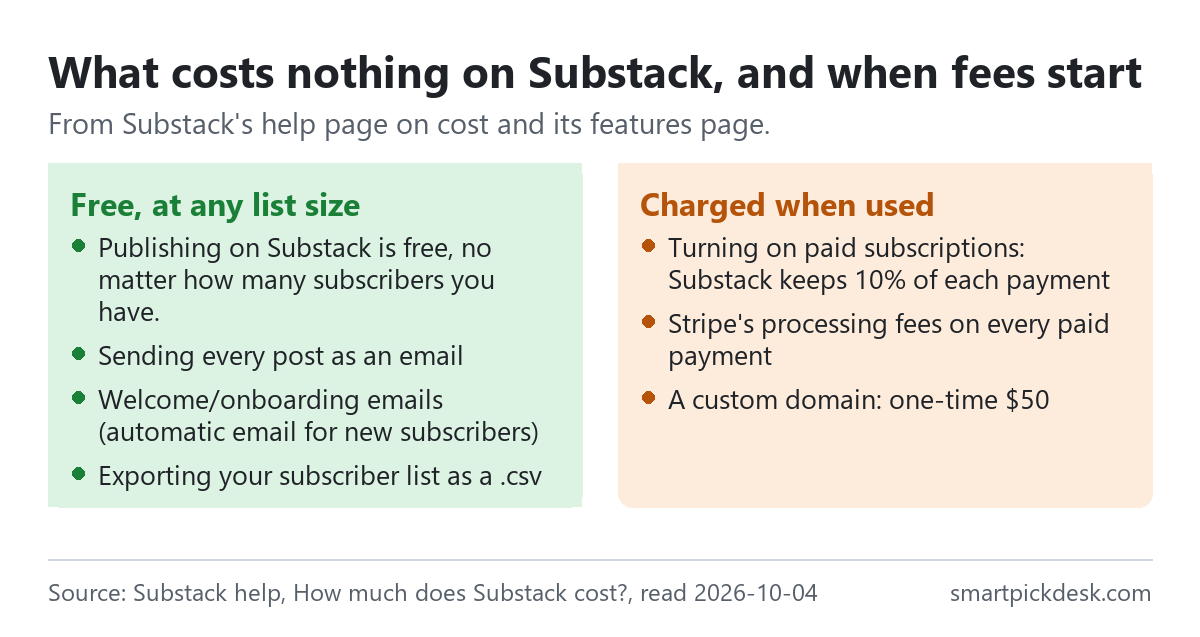
The features page lists what that covers. Among the email tools: every post can be sent as an email newsletter, targeted one-off emails to segments, “Welcome/onboarding emails (automatic email for new subscribers)”, and drip campaigns triggered by events such as a new free or paid subscriber.[7] Beyond email it lists podcast hosting with distribution to Apple Podcasts and Spotify, video hosting and live streaming, and static pages such as an About page.[7]
What the page does not do is set a limit on any of these, and none of the help articles we read put a price on them. For a writer who never charges readers, the only possible cost in what we read is the optional custom domain.
The 10% fee: what it is charged on
Fees begin when you switch on paid subscriptions: “If you turn on paid subscriptions, Substack keeps 10% of subscription revenue, and Stripe charges its own payment processing fees.”[1] The fee table puts Substack's share as “10% of each subscription payment”.[1]
- It is per payment, not per month. A reader on a yearly price pays once a year, and Substack's 10% applies to that payment.
- It is on the price you set. “Readers pay the monthly, annual, or founding member price the writer sets.”[1] The terms add that creators “may change the prices at their sole discretion through their Creator account, though no price changes shall apply retroactively.”[6]
- In the app, it stays on the web price. “For in-app purchases, Substack's 10% is based on your web price.” You choose whether in-app prices go up to cover Apple's fees.[1]
Substack's going-paid page puts the same split another way: “Writers keep 90% of their revenue minus credit card fees.”[2] The help page's table lists Stripe Billing as its own line, so on recurring payments the writer's share is 90% minus the card fee and minus the billing fee.
Stripe's fees, as Substack lists them
Payments go through Stripe, and Stripe's fees come on top of Substack's 10%. The help page prints them for a US Stripe account and says “The fees are dependent on the country where you registered your Stripe account in.”[1]
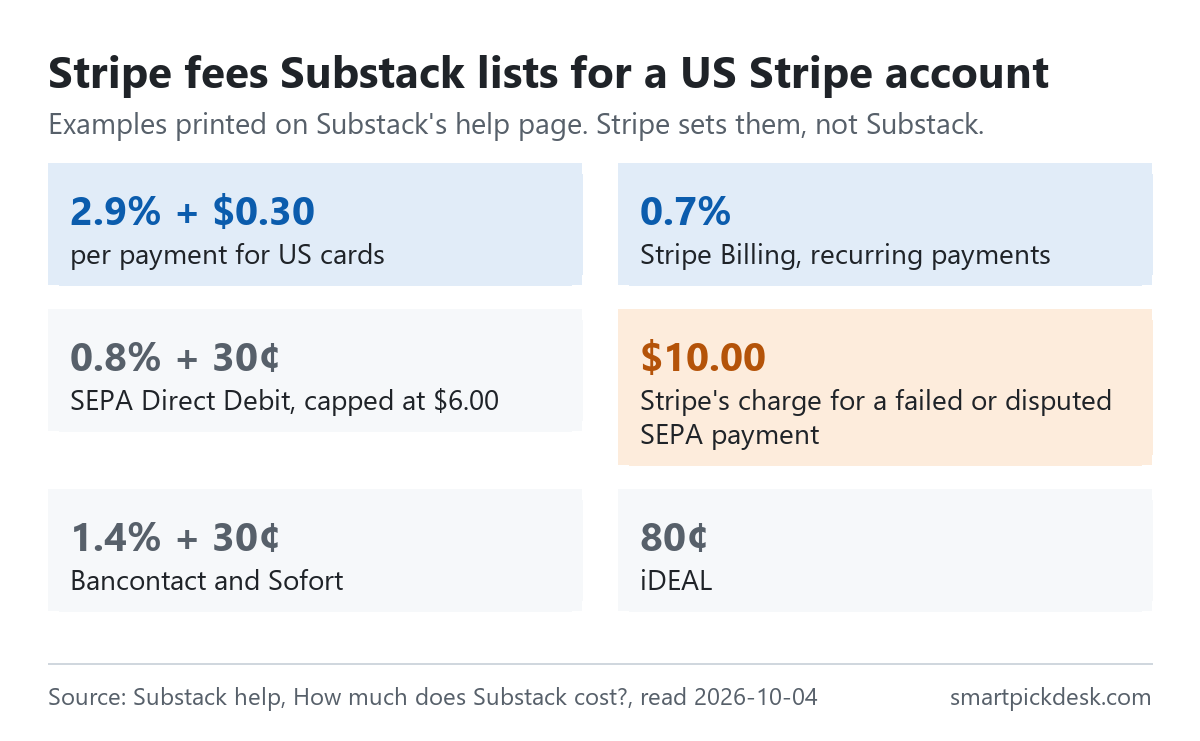
| Payment method | Fee printed by Substack (US Stripe account) |
|---|---|
| US card | 2.9% + $0.30 per payment |
| Recurring payments (Stripe Billing) | 0.7%, also on non-card methods |
| SEPA Direct Debit | 0.8% + 30¢, capped at $6.00; $10.00 for a failed or disputed payment |
| Bancontact, Sofort | 1.4% + 30¢ |
| iDEAL | 80¢ |
From the help page.[1] For SEPA the page reads: “SEPA Direct: 0.8% + 30¢ capped at $6.00. Stripe charges $10.00 for failed or disputed SEPA Direct Debit payments.” For non-card methods: “Stripe's Billing fee will also apply for non-credit card methods.”
Readers can pay by Visa, Mastercard, American Express, Discover, JCB, Diners Club and UnionPay, Apple Pay, Google Pay and Link, and readers in Europe may see local methods.[1] The help page says Substack doesn't add a fee to web payments, and that you can see each fee in your Stripe dashboard: open Transactions, select a payment marked Succeeded, and scroll to the breakdown.[1]
The fixed $0.30 per card payment is the part that behaves differently from the percentages. It is the same on any price, so it takes a larger share of a small monthly payment than of a large yearly one.
Worked examples: $10 and $30 a month
Substack's going-paid page offers price options including “$10/month” and “$30/month”.[2] Here is one web payment at each, with a US card, on a recurring monthly plan, using the rates in the table above.
| Reader pays | Substack keeps 10% | Stripe card fee (2.9% + $0.30) | Stripe Billing (0.7%) | Fees in total | Left before payout |
|---|---|---|---|---|---|
| $10 a month | $1.00 | $0.59 | $0.07 | $1.66 | $8.34 |
| $30 a month | $3.00 | $1.17 | $0.21 | $4.38 | $25.62 |
Our arithmetic. Rates from Substack's help page;[1] prices from the going-paid page.[2] We picked these two prices because every fee comes out in whole cents. Not included: tax, in-app purchases, non-US cards, refunds and disputes.
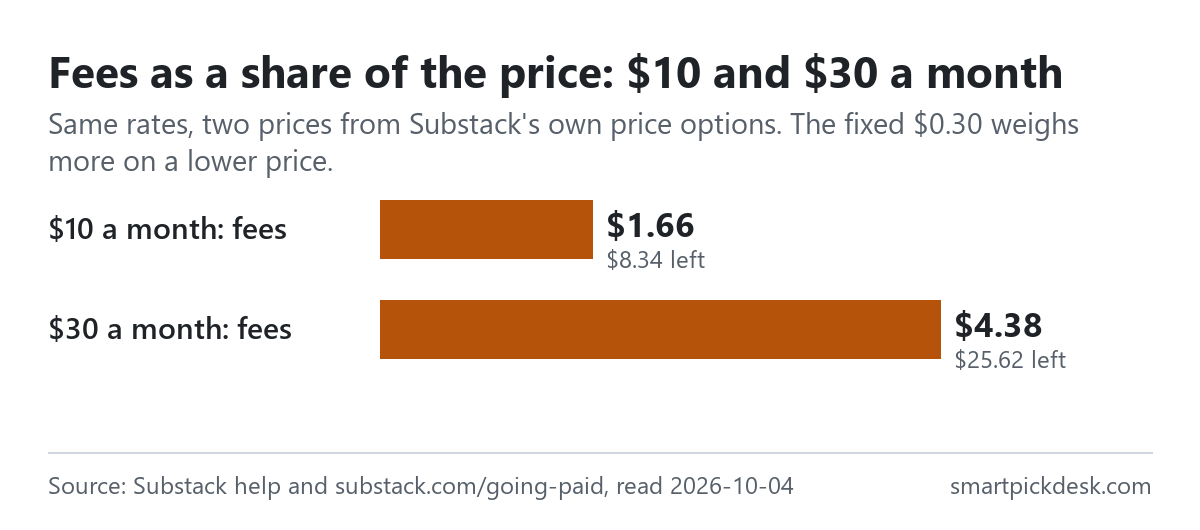
Read as shares, the fees are 16.6% of the $10 payment and 14.6% of the $30 payment. The difference is the fixed $0.30: it is 3% of $10 but 1% of $30. Substack's own 10% is the same share at both prices.
What the table does not show is that these are fees on money received. With no paid subscribers, all six columns are zero. That is the main difference between Substack and a tool priced by list size: a large free list costs nothing here, and the costs only rise with what readers pay.
What readers pay
- On the web: “Substack doesn't add a fee to web payments.”[1] Readers pay the price you set.
- Tax: the help page says some writers add sales tax or VAT on top of their price.[1]
- In the app: “In-app purchases: subscriptions bought in the Substack iOS app may cost more to cover Apple fees.”[1] The writer chooses between raising in-app prices and keeping them the same.
The practical point for a writer: if you keep in-app prices the same, Substack's 10% is still based on the web price, so what Apple takes is not covered by a higher price. The help page names the two options but does not give Apple's rate.
The $50 custom domain, and what it does not change
“Substack charges a one-time $50 USD fee to use a custom domain for your publication.”[3] Before you pay, the same article lists the conditions: “You must own the domain. Substack doesn't sell domains, and the $50 fee doesn't cover registering one.” You must be the publication's owner or an admin, and “No sales tax or VAT is charged on the $50 fee.”[3]
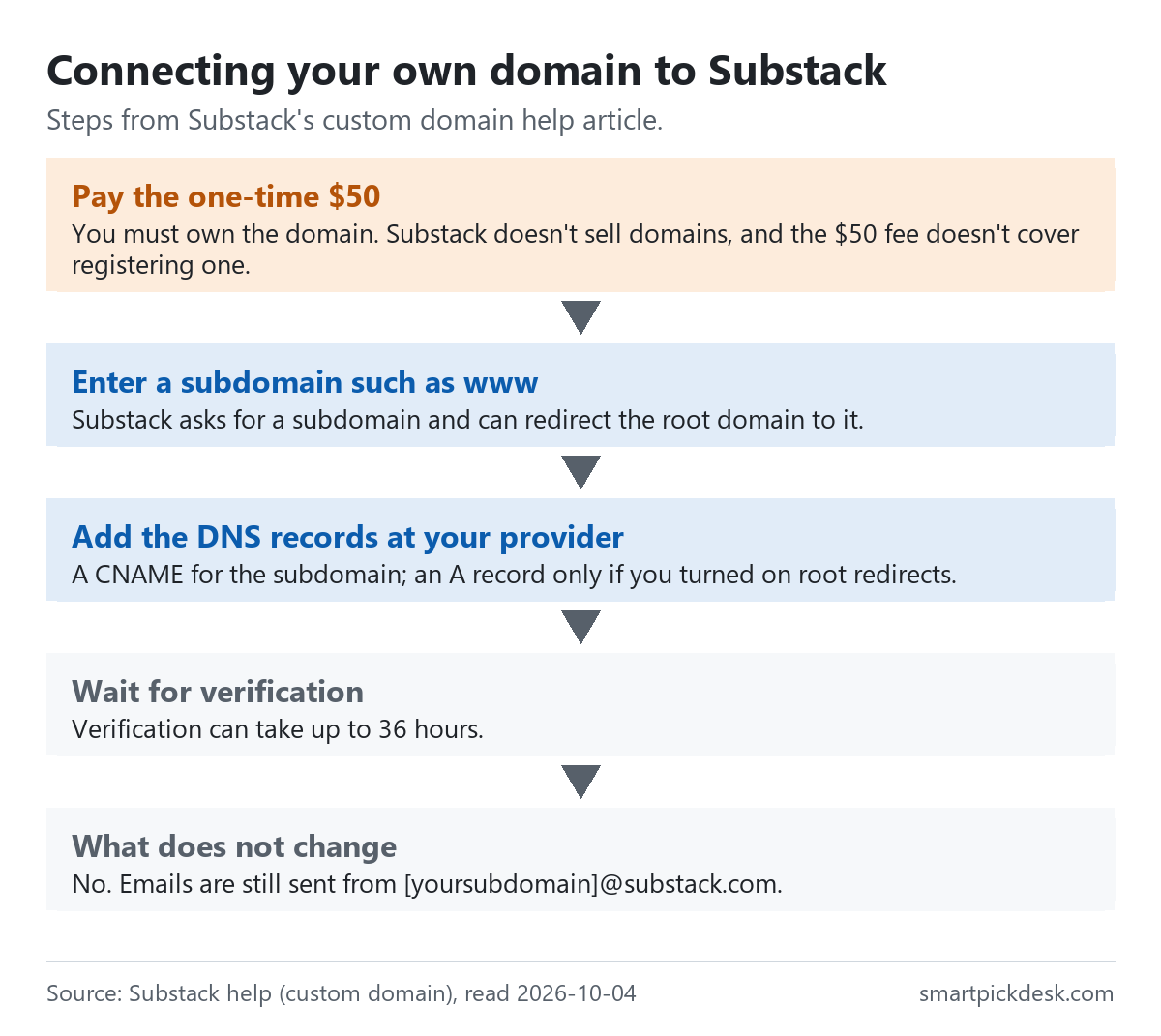
- In the dashboard, Settings, Domain: add a custom domain and pay the fee.
- Enter a subdomain such as www; tick root domain redirects if you want the bare domain to forward.
- At your DNS provider, add a CNAME for the subdomain, and an A record only if you turned on root redirects.
- Click Check status. “Verification can take up to 36 hours.”[3]
Two answers in the article's FAQ are easy to miss. The domain changes your web address but not your email sender: “No. Emails are still sent from [yoursubdomain]@substack.com.” And a failed setup can be repeated without paying again: “If it still doesn't work, delete the domain in Domain and add it again. You won't be charged again.”[3] On Cloudflare, the article says the proxy must be off.
The same FAQ answers two setup questions. A bare domain on its own is not supported: the publication must sit on a subdomain such as www, and the root domain can forward to it with a 301 redirect. And if the domain stops working, the dashboard is still reachable at your Substack subdomain followed by /publish/settings. The receipt for the $50 is under View receipt in the Domain section.[3]
Exporting your list, and moving one in
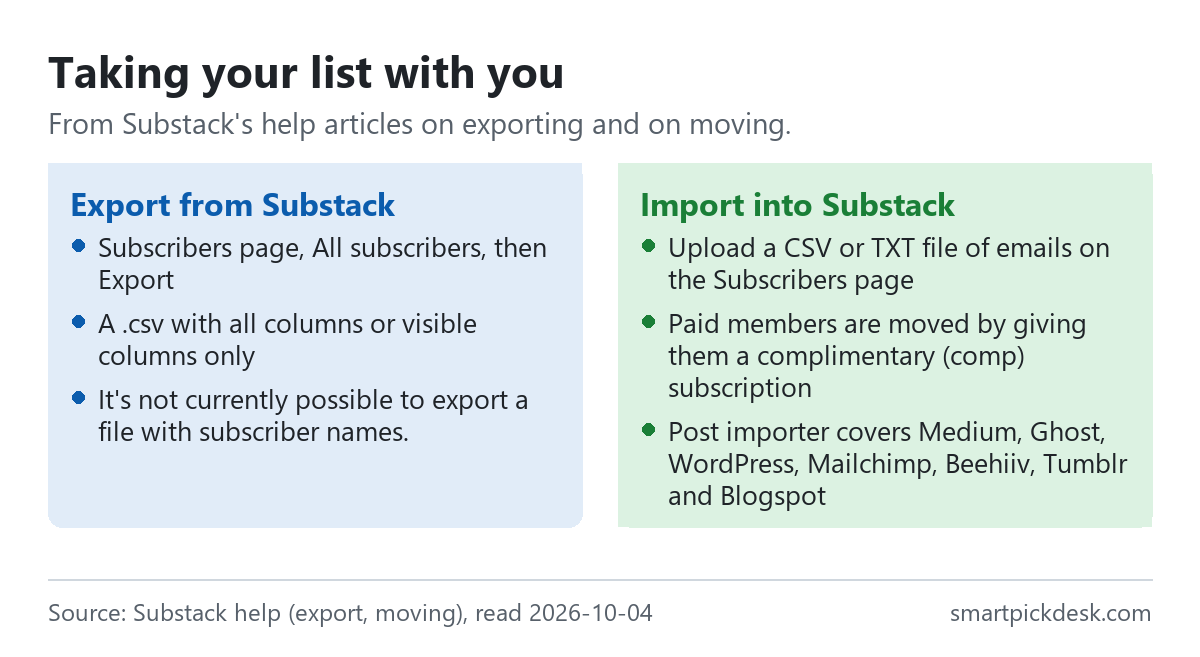
Taking your list out. On the Subscribers page, under All subscribers, the three-dot menu has Export, with a .csv of all columns or visible columns only; you can also export selected subscribers.[4] One limit: “It's not currently possible to export a file with subscriber names.”[4] The email addresses and subscription details come out; names do not.
The two export choices differ in what comes with each address. All columns can include fields such as when a subscriber last opened an email and their individual post views; visible columns only gives the default columns, such as the date someone subscribed and their type of plan, plus any filters you have applied.[4]
Bringing a list in. The moving article sets out an order, which matters most if you have paying members elsewhere.[5]
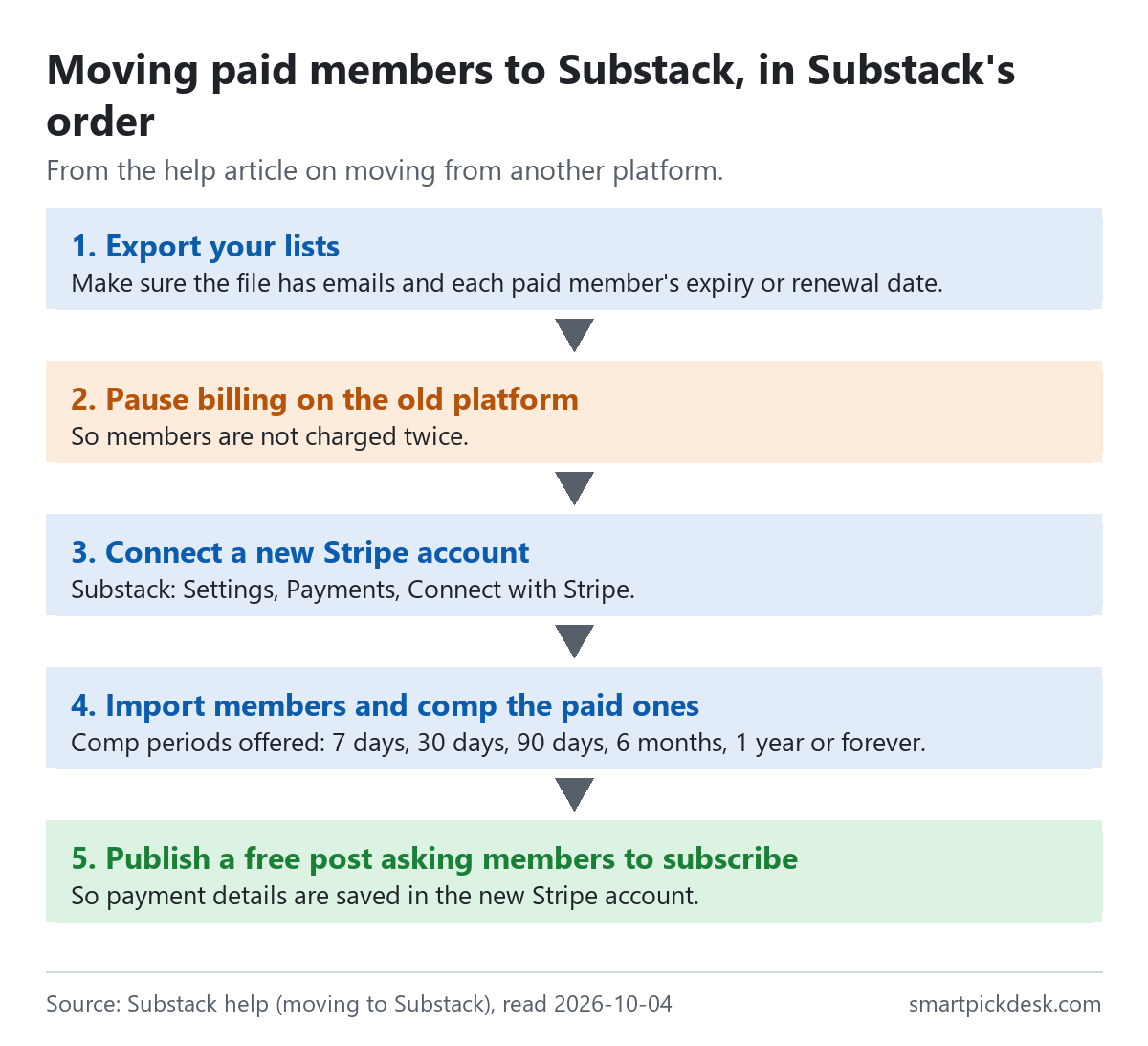
- Export emails and each paid member's expiry or renewal date, then pause billing on the old platform.
- Connect a new Stripe account in Substack's payment settings.
- Upload a CSV or TXT of emails; give paid members a complimentary subscription for 7 days, 30 days, 90 days, 6 months, 1 year or forever.
- Import posts: “Substack enables seamless content imports from the following services: Medium, Ghost, WordPress, Mailchimp, Beehiiv, Tumblr, and Blogspot.” Other platforms can work through an RSS feed.[5]
Two cautions from the same article: “Please note that when using the importer tool, you won't be able to select and choose which posts to show on your Substack.” And for one platform: “Note: If you're moving from Patreon to Substack, you must manually copy and paste each post into the Substack editor.”[5] After importing, each post can have its publication date changed to match the original, and the whole archive can be paywalled so only paying subscribers can read it; imported posts may carry the old platform's subscribe box or banner, which you remove post by post.[5] Moving costs nothing on Substack's side; the costs are the same 10% and Stripe fees once members pay again.
What the terms say
Substack's Terms of Use show “Effective date: April 21, 2025”.[6] Three parts bear on what you are paying for.
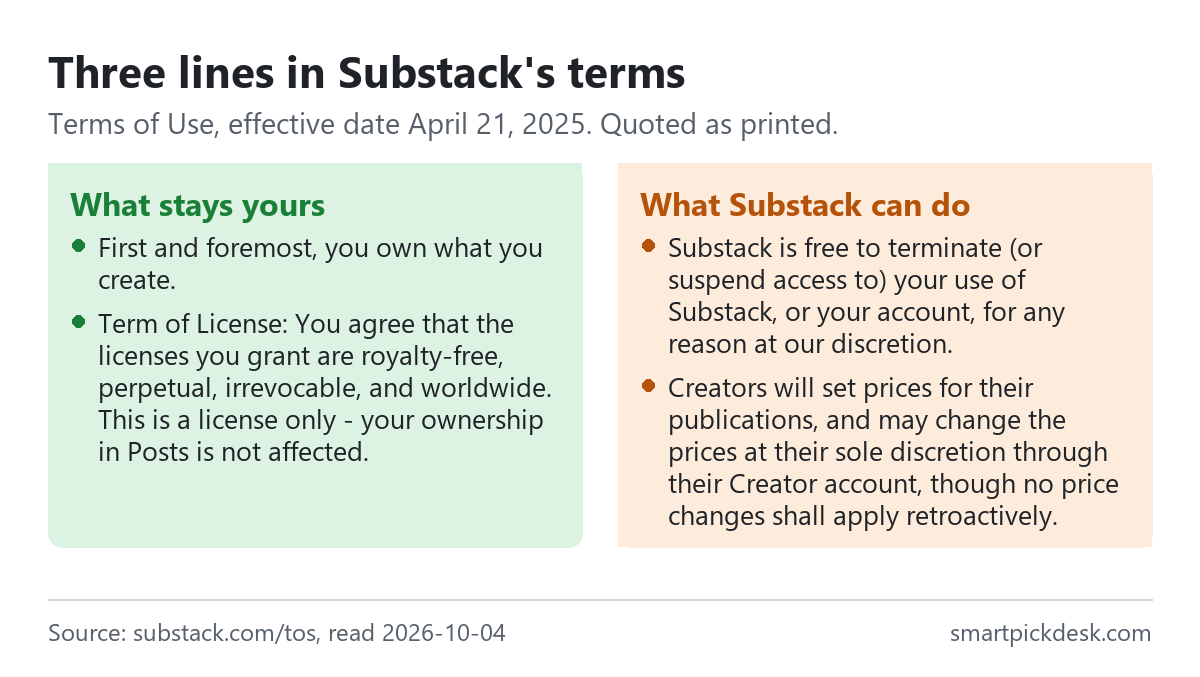
- Ownership. “First and foremost, you own what you create.” The licence you grant Substack: “Term of License: You agree that the licenses you grant are royalty-free, perpetual, irrevocable, and worldwide. This is a license only – your ownership in Posts is not affected.”[6]
- Termination. “Substack is free to terminate (or suspend access to) your use of Substack, or your account, for any reason at our discretion.” The terms say Substack will try to give advance notice so you can retrieve your posts, with exceptions.[6]
- Prices. Creators set and change their own prices, and price changes do not apply to past payments.[6]
Read with the export article, this is the case for exporting your list from time to time even if you never plan to leave: the terms allow an account to end at Substack's discretion, and the export is how the list stays with you.
Which situation fits Substack
| If you are… | What Substack costs you | From Substack's pages | Watch out for |
|---|---|---|---|
| Writing a free newsletter of any size | Nothing | Free at any subscriber count[1] | Emails come from a substack.com address[3] |
| Charging readers monthly | 10% plus Stripe on each payment | Card 2.9% + $0.30; Billing 0.7%[1] | The fixed $0.30 weighs most on small prices |
| Wanting your own web address | One-time $50 | No tax on the fee; re-adding is free[3] | You must own the domain first[3] |
| Moving paid members from elsewhere | No moving fee in the help we read | Comp periods up to forever[5] | Imported posts all appear as published[5] |
| Planning to leave one day | Nothing to export | .csv export of subscribers[4] | Names cannot be exported[4] |
If you would rather pay a monthly price by list size than a share of each payment, our price lists set out how the others charge: Kit pricing, checked, MailerLite pricing, checked and GetResponse pricing, checked.
Questions people ask
Is Substack free?
Publishing is free at any list size.[1] Fees start only when you turn on paid subscriptions, and a custom domain is a one-time $50.
How much does Substack take?
10% of each subscription payment, plus Stripe's fees (for US cards, 2.9% + $0.30 per payment and 0.7% for recurring billing).[1] On a $10 monthly payment, $8.34 is left before tax (our arithmetic).
How much is a custom domain on Substack?
One-time $50, no tax on it, domain not included; emails still come from substack.com.[3]
Can I export my Substack subscriber list?
Yes, as a .csv with all or visible columns; subscriber names cannot be exported.[4]
Do readers pay extra on Substack?
Not on the web; possibly in the iOS app, and if the writer adds tax.[1]
Who owns what I publish on Substack?
You do, under the terms; Substack gets a perpetual licence and may terminate accounts at its discretion.[6]
Do you get paid if I sign up?
Not from this page — it has no affiliate links today. If that changes, it will say so at the top, and each link will be marked.
Sources and check log
| # | Source | URL | Checked | How |
|---|---|---|---|---|
| 1 | Substack help, How much does Substack cost? (shown as updated on October 3, 2026) | support.substack.com › cost | 2026-10-04 | Article text saved from the help centre's public article feed |
| 2 | Substack, Going paid | substack.com/going-paid | 2026-10-04 | Opened in a browser with no account; page text saved |
| 3 | Substack help, How do I set up my custom domain on Substack? | support.substack.com › custom domain | 2026-10-04 | Article text saved from the public article feed |
| 4 | Substack help, How do I export my email list on Substack? | support.substack.com › export | 2026-10-04 | Article text saved from the public article feed |
| 5 | Substack help, How do I move from my current platform to Substack? | support.substack.com › moving | 2026-10-04 | Article text saved from the public article feed |
| 6 | Substack, Terms of Use | substack.com/tos | 2026-10-04 | Page text saved |
| 7 | Substack, Features | substack.com/features | 2026-10-04 | Page text saved |
Change log
- 2026-10-04 — First version. All seven sources read on 2026-10-04.
- Previous check: none for this page.
- What we will re-check: the fee table in the cost article, the custom domain fee, the export limits, and the terms' effective date.
Who writes this
Smart Pick Desk is an independent site that compares tools for people who work online. We are not employed by, or partnered with, Substack, and we do not publish on Substack. What we do is read what each company publishes, write down the date we read it, and say plainly which parts we could not check. More: who the editors are and how we check a page.
We do not promise results. Nothing here is a prediction about what a platform will do for your writing or your income.